Cisco CDR Alerts for CallManager
PremiumCDR Alerts turn enabled call streams into focused notifications. Cisco Unified Communications Manager CDR/CMR profiles remain post-call alerts; Teams E911 profiles use separate real-time emergency call start/end events. Start with a built-in preset or create a source-specific profile, then route the result to the right contacts.
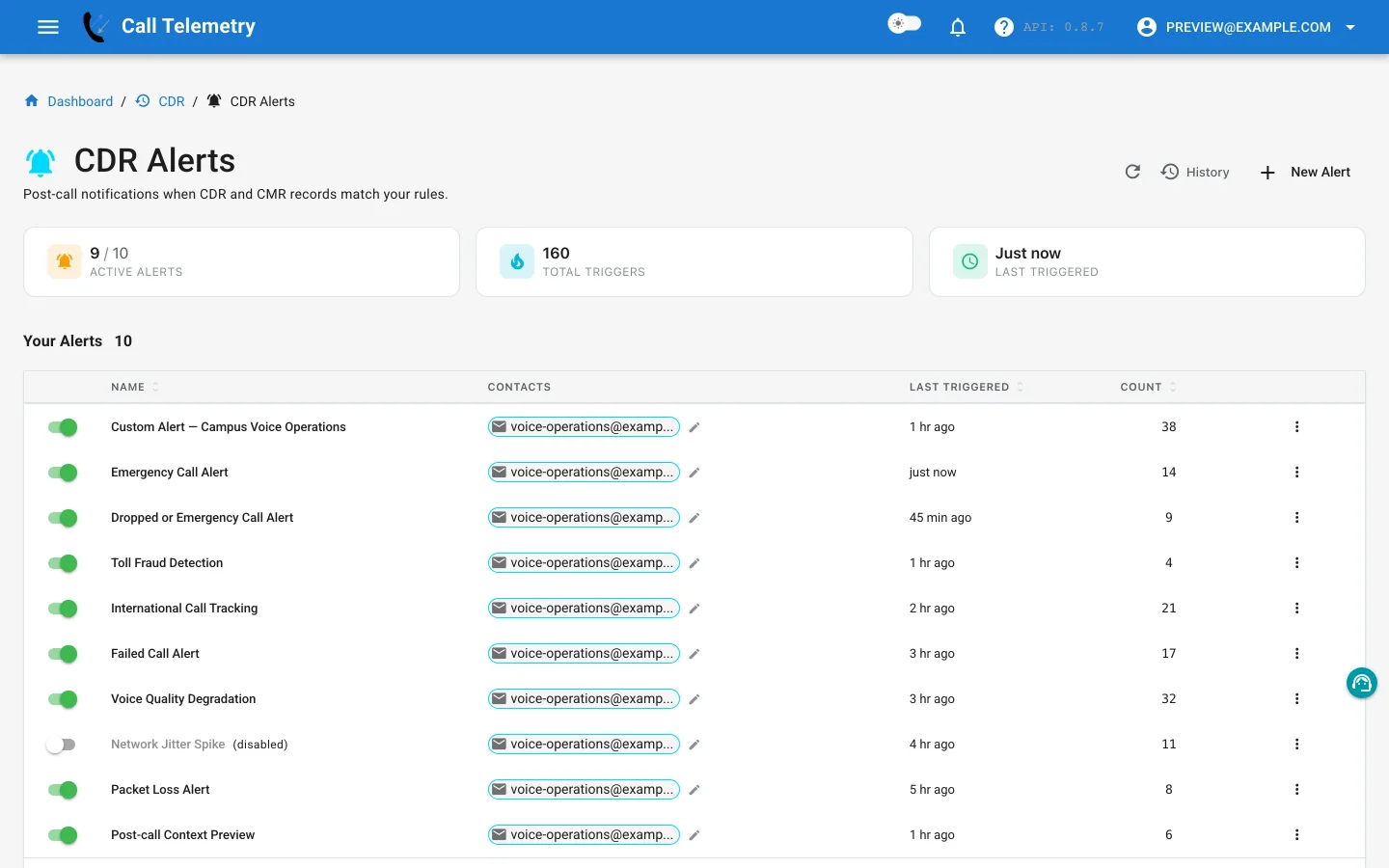
How CDR Alerts work
Cisco CDR Alert profiles evaluate records after CUCM delivers CDR or CMR data and Call Telemetry parses them; CMR-dependent rules run after the corresponding CDR and CMR records are linked. Teams E911 profiles instead evaluate typed, real-time emergency call start/end events delivered through the Teams emergency-events stream. For decisions during a call, use Policy Call Alerts; for real-time emergency workflows, use E911 notifications.
| Stage | What happens |
|---|---|
| Rules | An alert profile applies rules to fields supplied by its selected call stream. |
| Context and message | Call Telemetry renders only context supplied by that source and already-synchronized enrichment. |
| Contacts | The profile routes the notification to email, SMS, Teams, Webex, or webhook contacts. |
| Testing | Send Test previews channel output; Alert Lab exercises a synthetic record through the alert pipeline. |
| Dispatch and history | Matching records can be grouped in one notification, with results retained in alert history. |
Choose an alert workflow
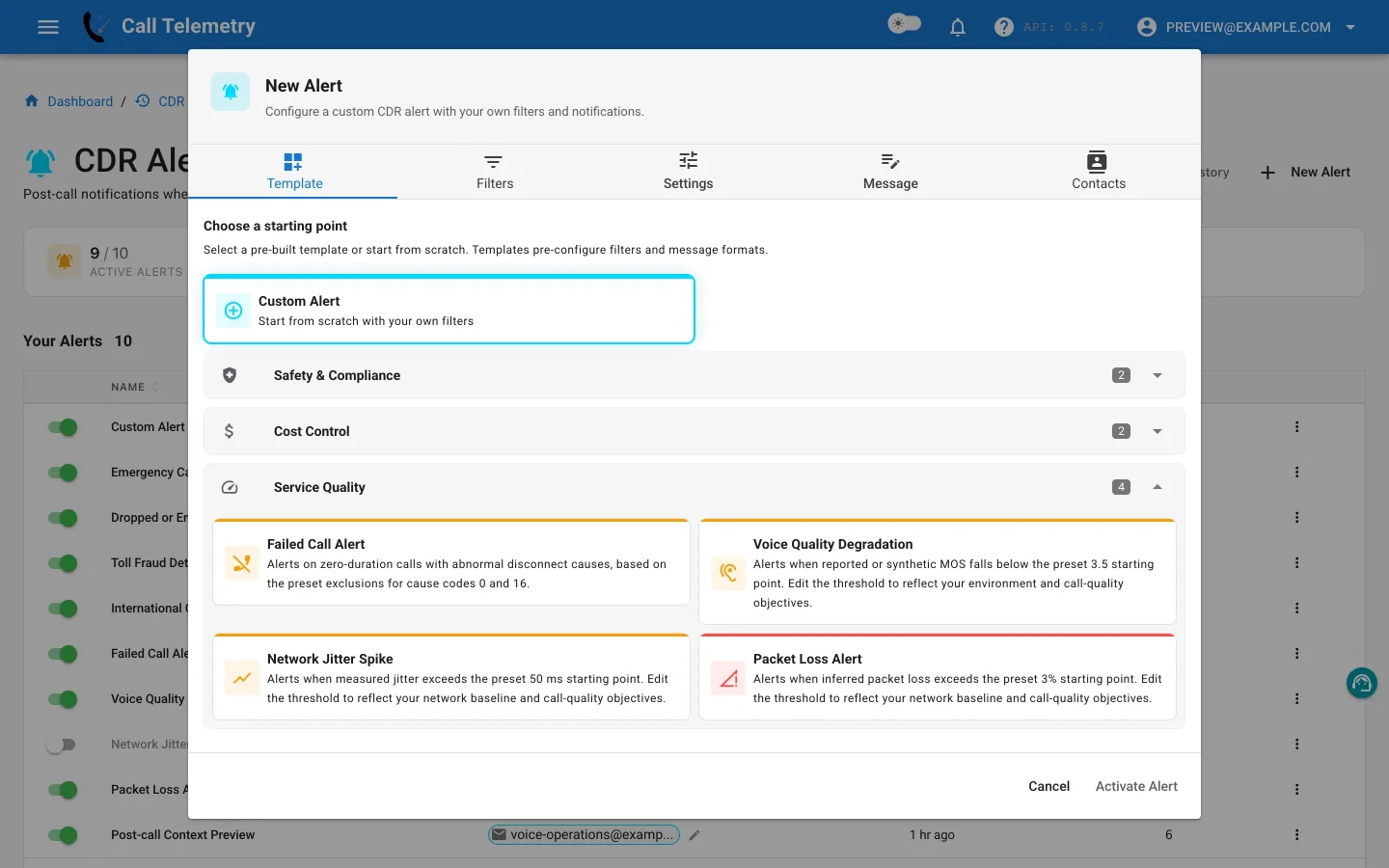
Custom
| Guide | Use it to |
|---|---|
| Custom Alert | Combine supported CDR or CMR fields into an organization-specific post-call rule. |
Safety
| Guide | Use it to |
|---|---|
| Emergency Calls | Match configured emergency numbers and include available phone-location context. |
| Teams E911 Emergency Calls | Configure real-time Teams call-start/call-end email, civic routing, and controlled readiness. |
| Dropped or Emergency | Route selected failure causes or emergency-number matches through one Any-mode profile. |
Cost control
| Guide | Use it to |
|---|---|
| Toll Fraud | Flag connected international calls for review; a match is not proof of fraud. |
| International Calls | Track international dialing whether or not the call connected. |
Service quality
| Guide | Use it to |
|---|---|
| Failed Calls | Find zero-duration calls with abnormal destination cause codes. |
| Voice Quality | Match linked CMR records when listening or synthetic MOS crosses a chosen threshold. |
| Network Jitter | Review calls whose linked CMR jitter exceeds a chosen threshold. |
| Packet Loss | Review calls whose inferred packet loss exceeds a chosen threshold. |
Add useful message context
Messages can use the cdr.*, phone.*, caller.*, called.*, and alert.* namespaces. Phone discovery can add device, switch, port, subnet, and location details without expanding the fields available to filter rules. When a template includes phone.device_description, that value comes from phone inventory. Free Edition may still render it in alerts; it is not the CDR History enrichment column that Essentials unmasks.
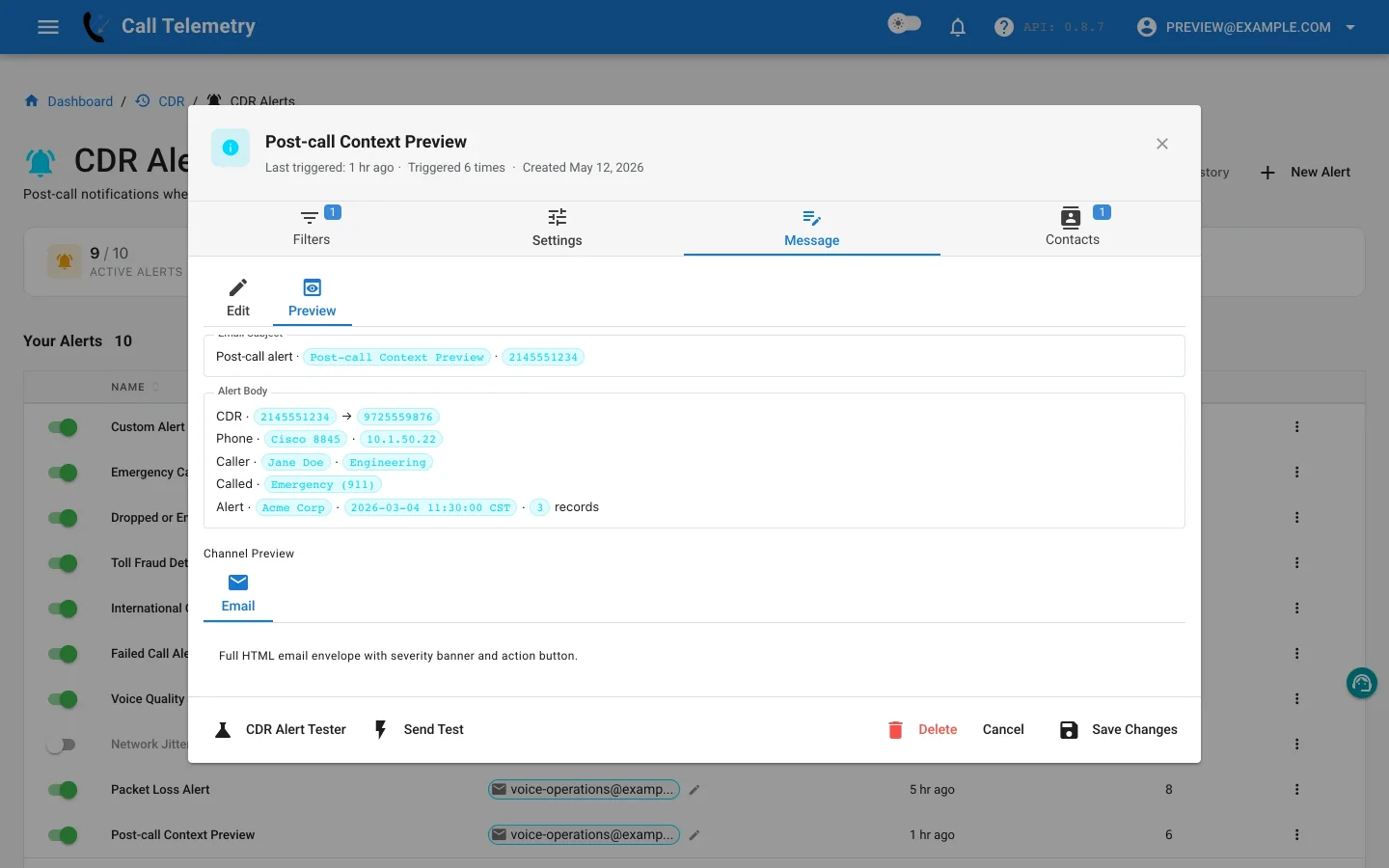
See Create a Custom Cisco CUCM CDR Alert for supported fields, operators, and message-template guidance.
Test delivery safely
The two test paths have different delivery behavior:
| Test Path | Teams | Webex | SMS | Webhook | |
|---|---|---|---|---|---|
| Send Test | Delivered | Preview only | Preview only | Preview only | Preview only |
| Alert Lab | Delivered | Delivered | Delivered | Safety-skipped | Safety-skipped |
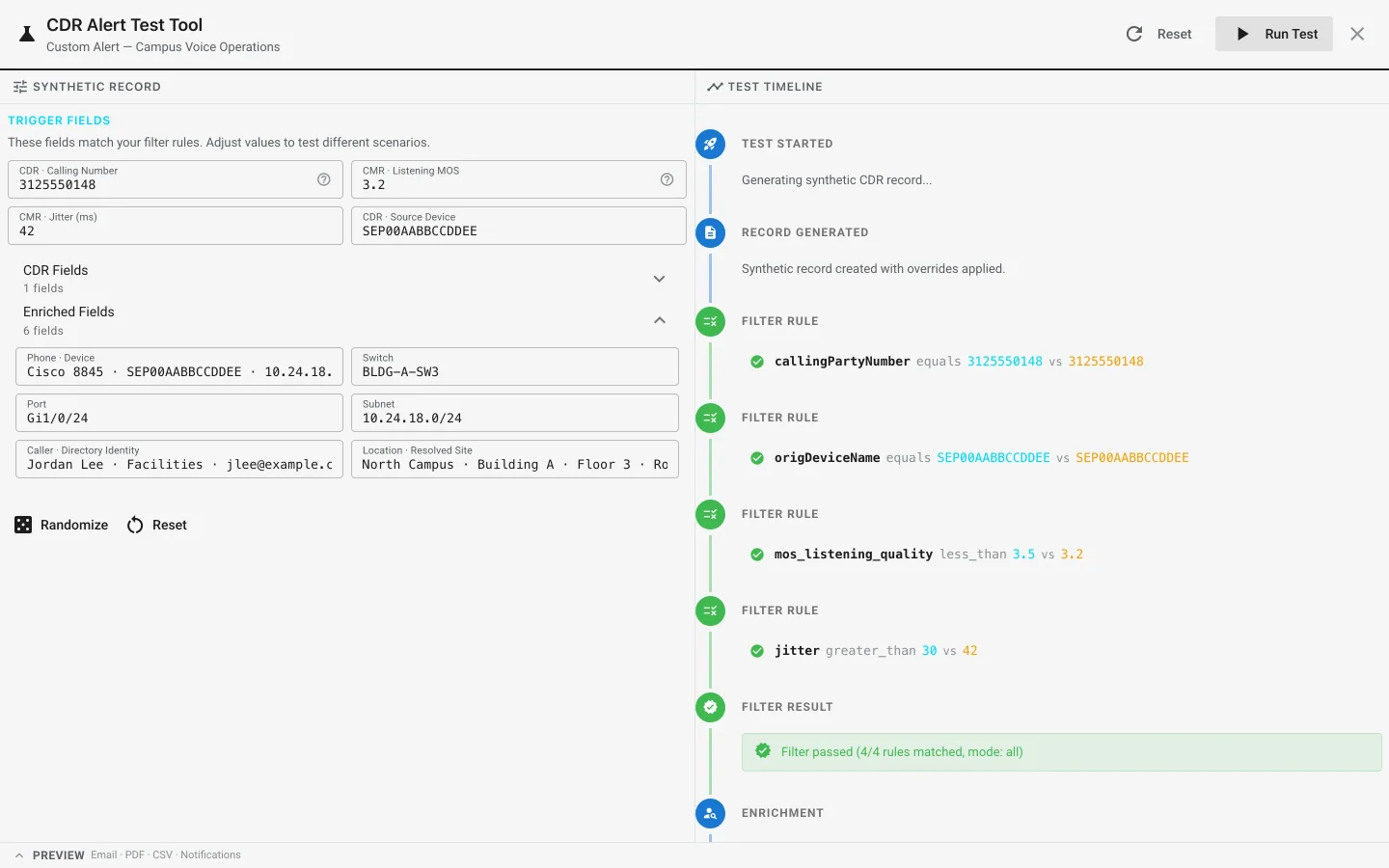
Alert Lab sends a synthetic record through filtering, enrichment, message rendering, channel previews, and safe delivery. It lets you confirm both the rule and the rendered context before activating the profile.
Understand batching and limits
- The default deduplication window is 60 seconds.
- The profile setting named maximum alerts per window defaults to 10; the current evaluator uses it to cap matching records passed into a dispatch.
- A processing job has an absolute cap of 100 matching records.
- One notification can contain multiple records accumulated for the same profile.
- Profiles with CMR rules currently use a 15-minute cooldown after a trigger so a persistent quality condition does not repeatedly notify the same recipients.
Tune thresholds and routing around the response your team can sustain. MOS 3.5, jitter 50 ms, and packet loss 3% are editable preset starting points, not universal Cisco requirements.
Review alert history
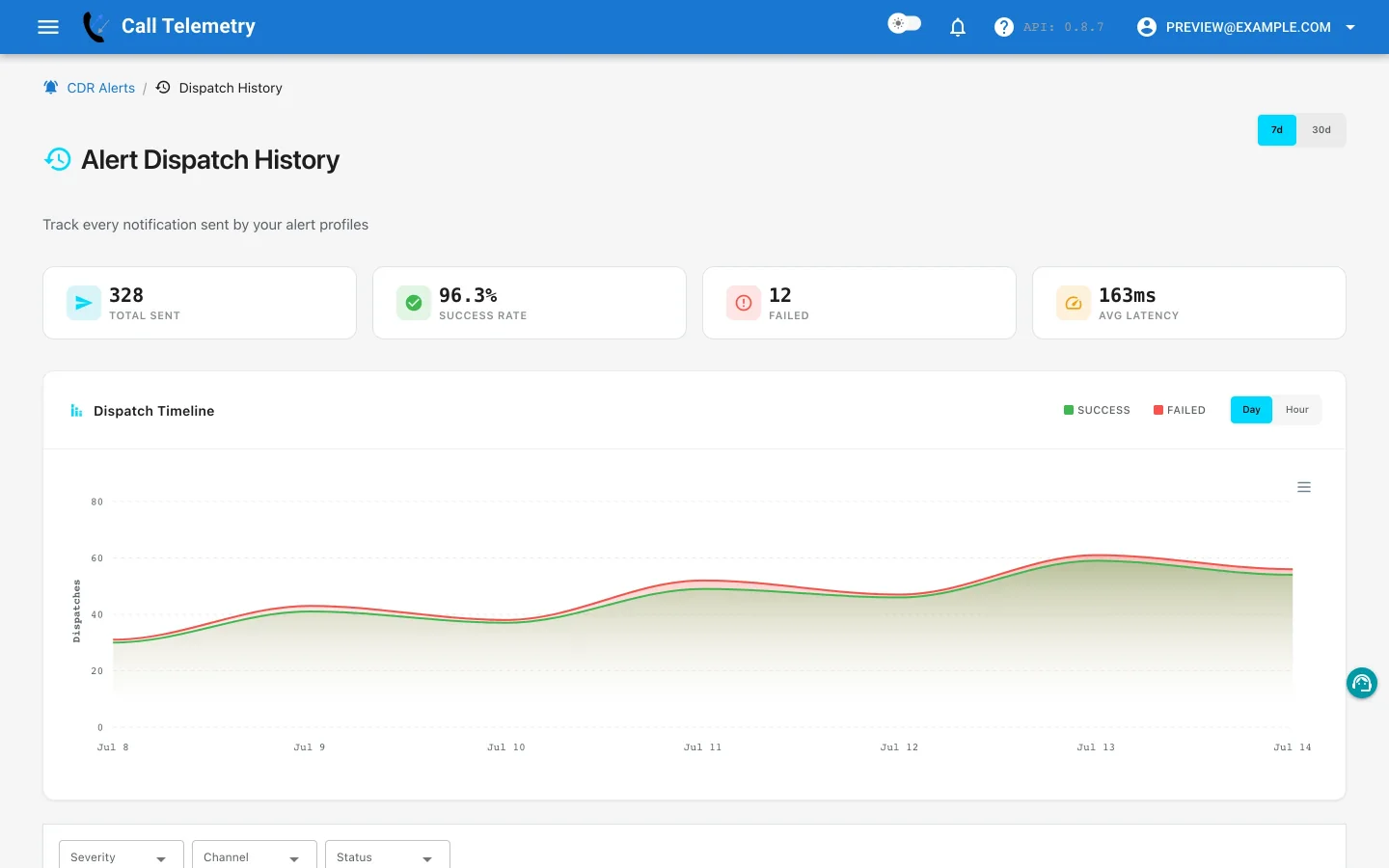
Open Alerts → CDR Alerts → History to see which profile matched, how many records were grouped, the rendered result, and channel delivery status. Use history to tune noisy rules or confirm that a contact path worked as expected.
To begin with organization-specific logic, continue to Custom Alert. To verify CDR ingestion first, see Configure CDR via SFTP.