Create a Cisco CUCM Failed Call Alert
PremiumThe Failed Call Alert preset finds zero-duration records whose destination disconnect cause is outside the preset’s normal exclusions. Use it as a signal for call-path investigation, then inspect the complete record before deciding what failed.
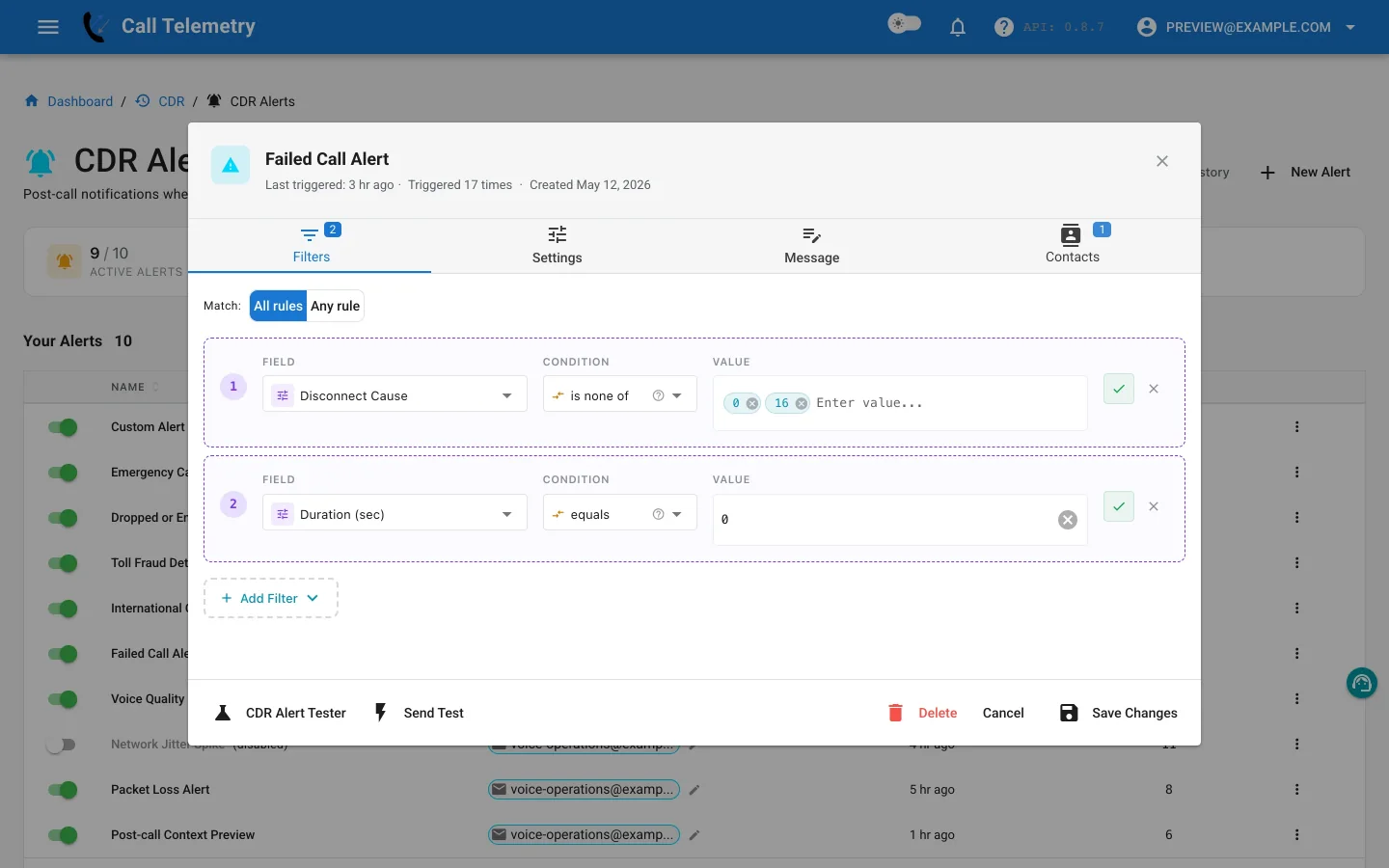
Choose the preset
Open Alerts → CDR Alerts → New Alert and choose Failed Call Alert. The preset retains the stable failed_calls behavior while presenting the alert’s purpose directly in the UI.
Inspect the All-mode rules
Every rule must match:
| Field | Operator | Default value |
|---|---|---|
destCause_value | not_in_list | 0, 16 |
duration | equals | 0 |
The cause-code rule excludes the preset’s normal values, while the duration rule limits the result to calls with no connected duration. Review cause behavior across trunks, gateways, and call-forward paths before changing the exclusions.
A matching cause is a starting point, not a complete root-cause diagnosis.
Add investigation context
Keep the calling and final called numbers, destination cause, originating device, resolved caller, phone model, and trigger time in the message. Link the recipient to Call Investigation when the next step is to trace legs, transformations, or gateway behavior.
Add contacts, test, and activate
- Add telecom or service-desk contacts who can investigate the call path.
- Use Send Test for delivered email and previews of Teams, Webex, SMS, and webhook.
- In Alert Lab, use duration
0and a cause outside0and16; email, Teams, and Webex can be delivered while SMS and webhook are safety-skipped. - Change either duration to a positive value or cause to
16and confirm All matching fails. - Activate the profile, then use History to confirm the matched cause, message, grouped-record count, and delivery status.
Return to the CDR Alerts overview or continue with Call Investigation.