Create a Cisco CUCM Toll Fraud Alert
PremiumThe Toll Fraud Detection preset flags connected international calls for review.
A match identifies call activity to investigate; it does not by itself prove fraud.
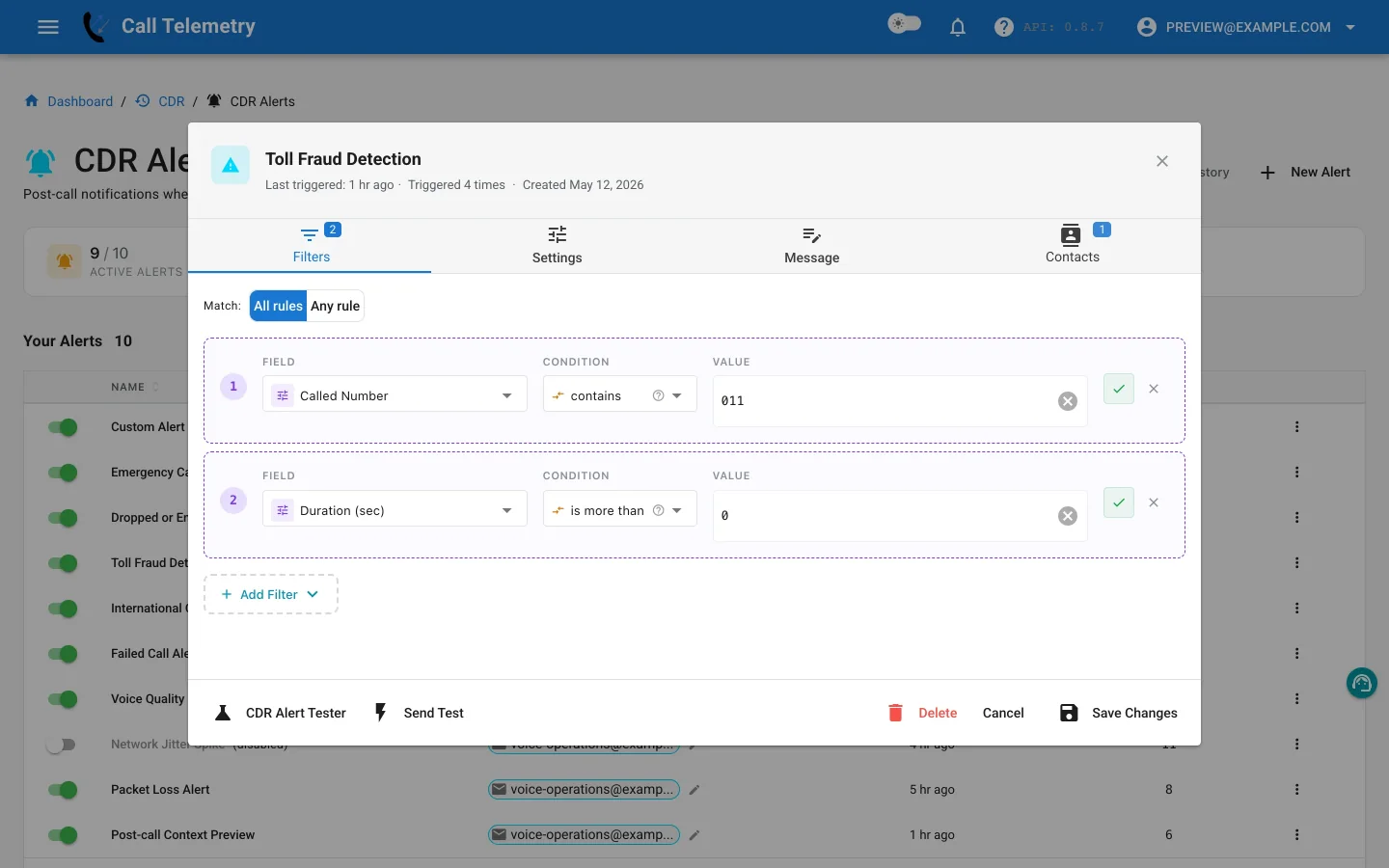
Choose the preset
Open Alerts → CDR Alerts → New Alert and choose Toll Fraud Detection. The preset starts at Warning severity so the message can prompt review without declaring an incident as fact.
Inspect the All-mode rules
The preset requires every rule to match:
| Field | Operator | Default value |
|---|---|---|
finalCalledPartyNumber | starts_with | 011, 00, + |
duration | greater_than | 0 |
The first rule identifies the supplied international prefixes. The second limits the profile to records with positive connected duration. Adapt the prefixes to the digits stored in your CUCM CDRs after route-pattern and transformation behavior. Raise the duration only when short connected calls do not need review.
Caller, phone, switch, port, subnet, and location context is available in message templates but is not currently filterable.
Write a review-oriented message
Include the caller, calling and final called numbers, duration, department, device, location, trigger time, and grouped-record count. Use language such as “international call requires review,” then link the recipient to the organization’s validation or escalation process.
Add contacts, test, and activate
- Add telecom, security, or cost-control contacts who own the review process.
- Use Send Test to deliver email and preview Teams, Webex, SMS, and webhook output.
- In Alert Lab, use an international destination and positive duration, then verify email, Teams, and Webex delivery; SMS and webhook are safety-skipped.
- Set duration to
0and confirm the All-mode profile no longer matches. - Activate the profile and inspect History for grouped records, message context, and channel status.
If the organization needs visibility into attempted international calls as well, use International Call Tracking. Return to the CDR Alerts overview.