Creating Your First Call Policy
This guide walks you through creating a Call Policy from scratch. You'll learn how policies, rules, and triggers work together to control call routing on Cisco Callmanager.
Prerequisites
Before you start:
- Call Telemetry installed and connected to Cisco CUCM
- CURRI configured with an External Call Control Profile
- Admin access to Call Telemetry
What is a Call Policy?
A Call Policy is a collection of rules applied to calls. In Cisco terms, it maps to an External Call Control Profile. When a call matches a pattern attached to this profile, Call Telemetry evaluates your rules and returns an action.
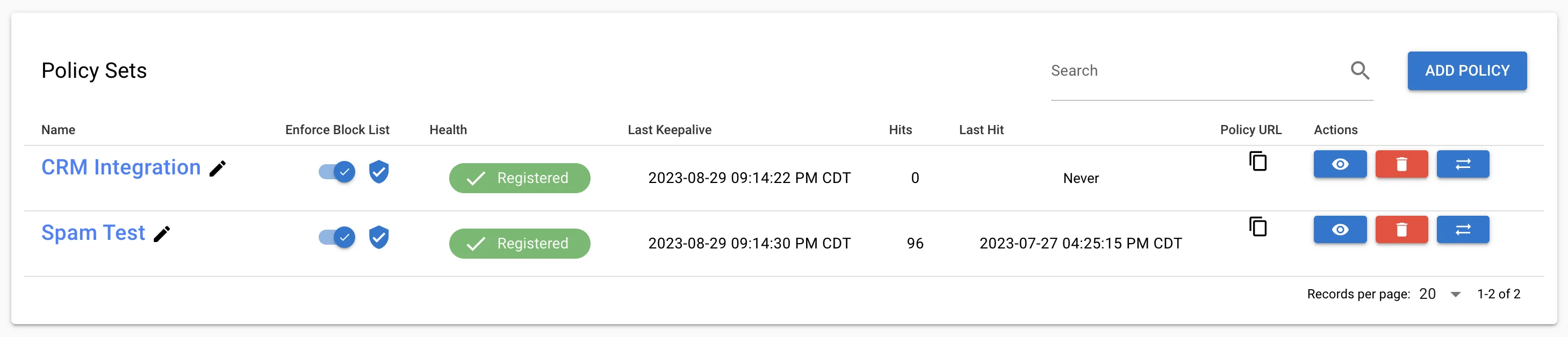
Policies can:
- Permit or Block calls based on caller/destination
- Modify Caller ID name or number in real-time
- Trigger Alerts to SMS, Email, or Teams
- Query APIs for CRM lookups, location data, reputation scores
- Play Greetings before connecting calls
Understanding the Call Flow
Here's what happens when a call hits Call Telemetry:
- CUCM sends call data to Call Telemetry via CURRI
- Call Telemetry checks the Global Block List
- Rules are evaluated - most specific match wins
- Action is returned (permit, block, modify)
- Alerts and Apps execute asynchronously
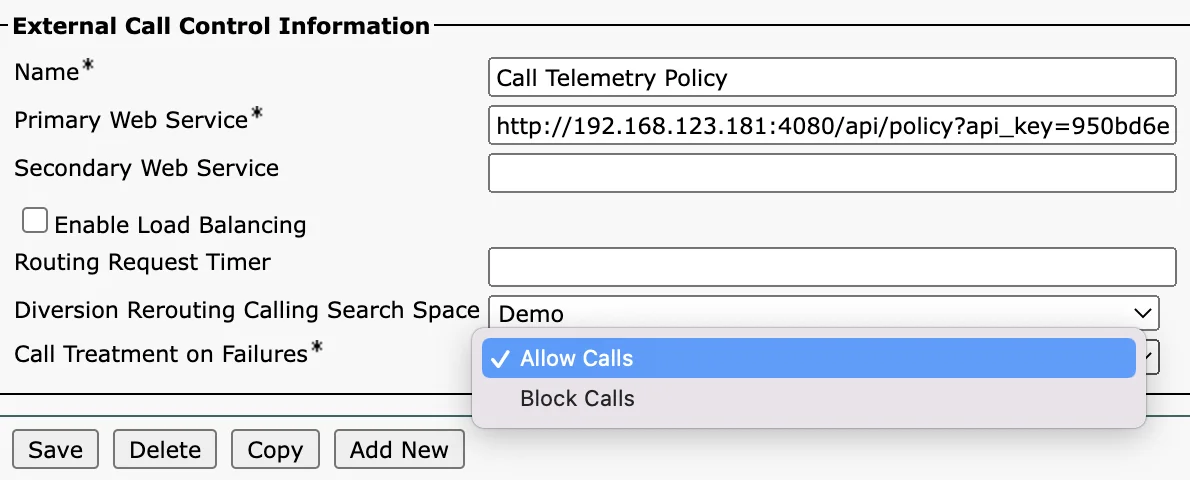
CURRI fails "open" - if Call Telemetry is unavailable, calls route normally. There's no single point of failure.
Step 1 - Create a New Policy
Navigate to Policies and click Add.
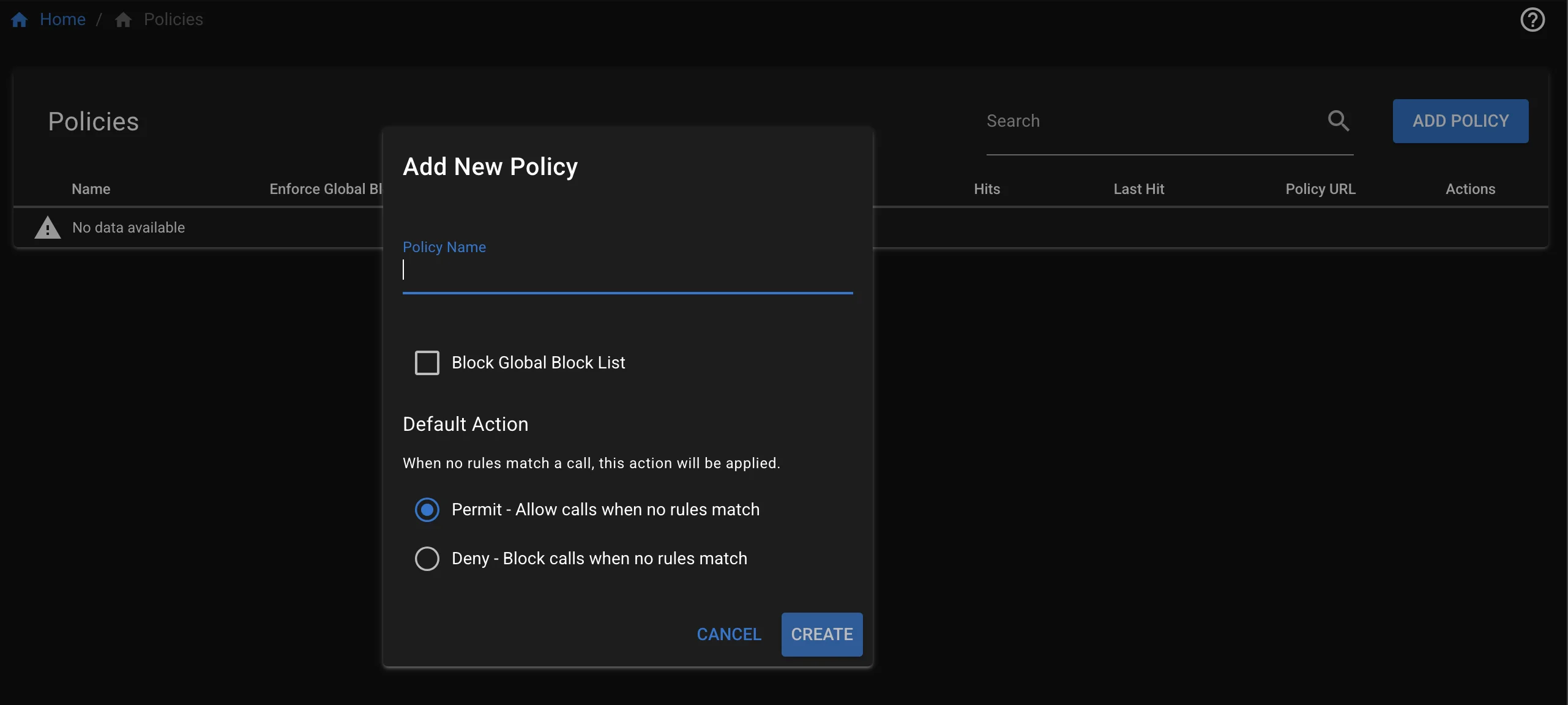
Configure:
- Name: Give it a descriptive name (e.g., "Inbound PSTN", "Sales DID")
- Default Action: What happens if no rules match (
PermitorBlock) - Global Block List: Toggle on to enforce your global block list
Click Save.
Step 2 - Add Your First Rule
Click Add Rule on your policy.
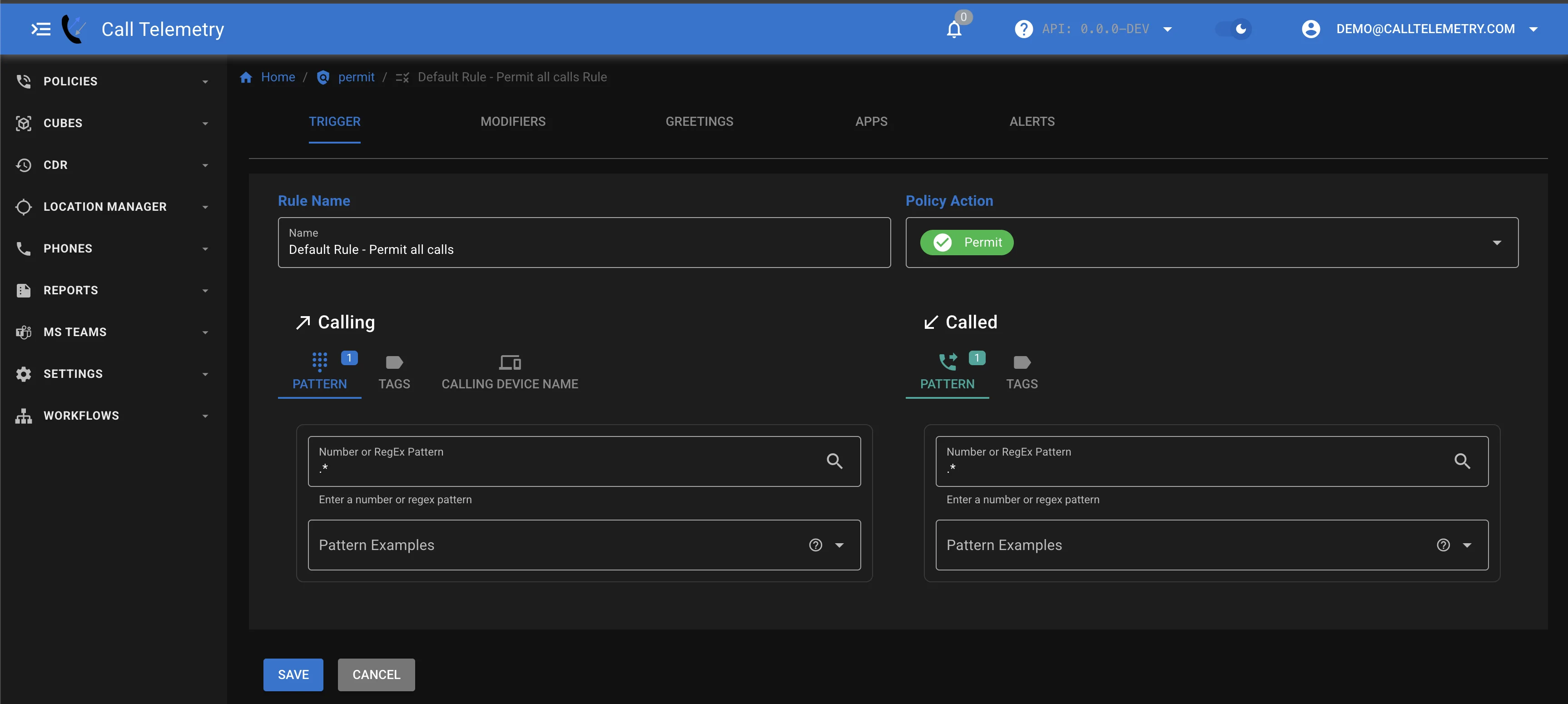
Configure the Rule Trigger
Rules match based on calling and called number patterns using regex:
| Pattern | Matches |
|---|---|
.* | Everything |
1234 | Exact number 1234 |
512.* | Numbers starting with 512 |
.*5551234 | Numbers ending with 5551234 |
Configure:
- Name: Descriptive name (e.g., "Block Known Scammer")
- Called Number: Pattern for destination (or
.*for any) - Calling Number: Pattern for caller (e.g.,
5551234567) - Action:
PermitorBlock
Step 3 - Add Call Modifiers (Optional)
Modifiers change the call before it connects. Similar to Callmanager Translation Rules.
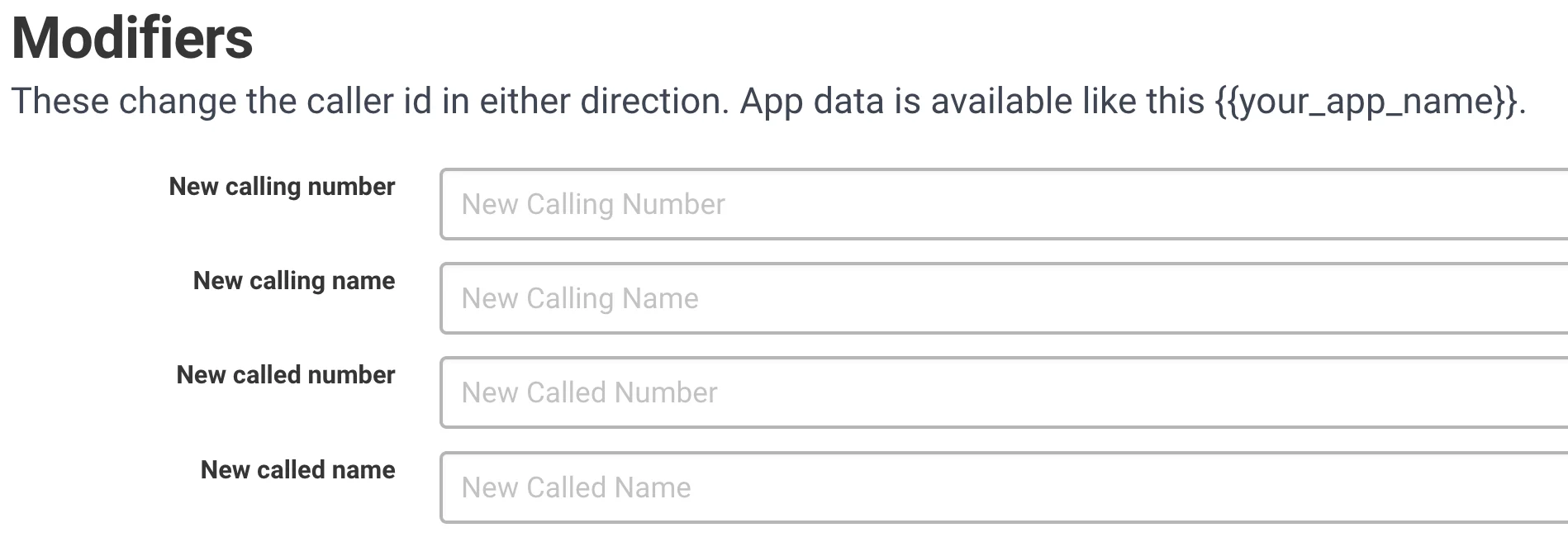
Common uses:
- Rename Caller ID to show CRM contact name
- Prepend "SPAM:" to suspicious callers
- Redirect calls to a different destination
Step 4 - Add Alerts (Optional)
Get notified when rules match. Click the Alerts tab.
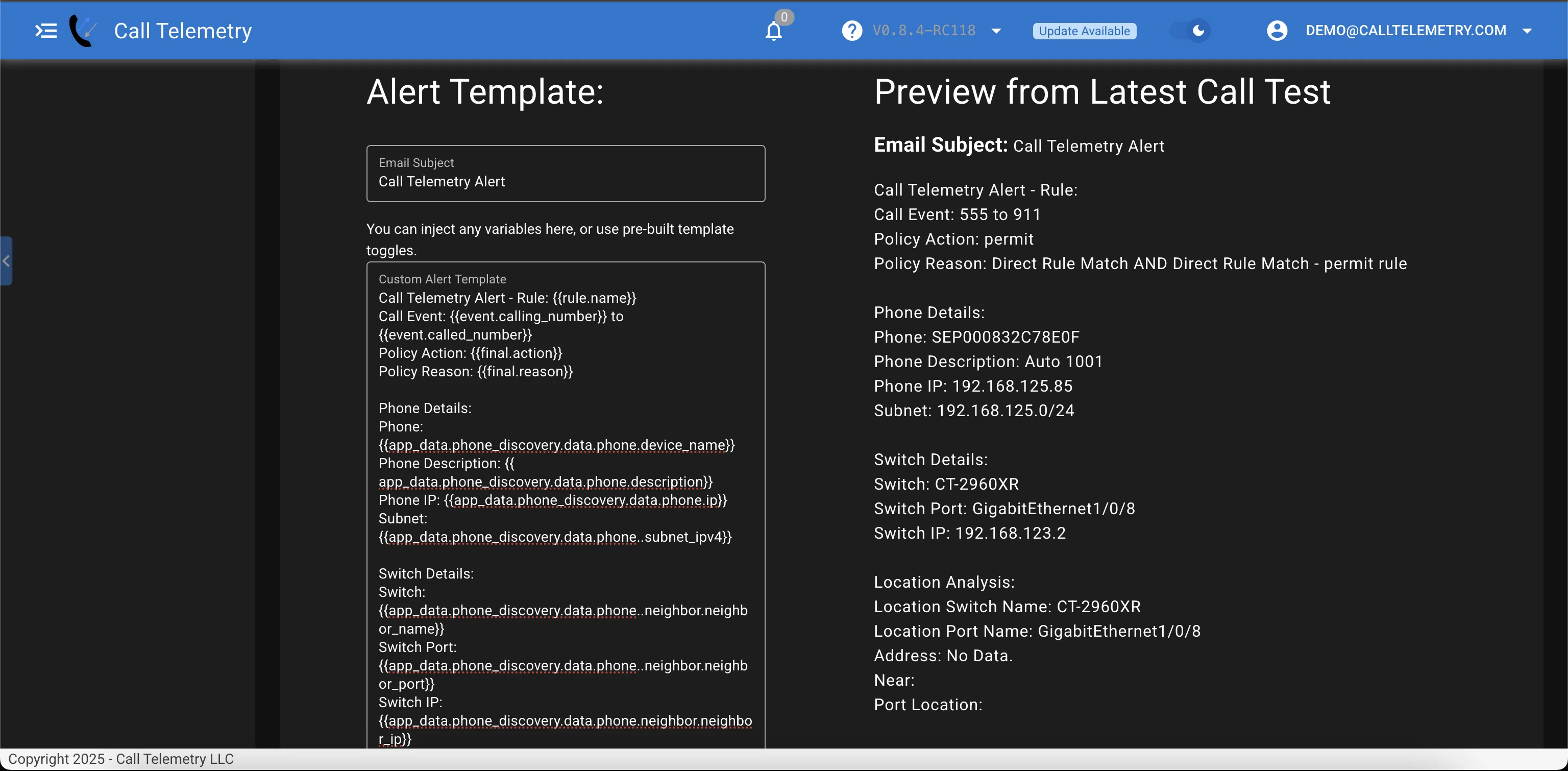
Available channels:
- SMS - Text to a phone number
- Email - Send to any address
- Webex Teams - Post to a Teams space
Build your template using variables like:
{{event.calling_number}}- Caller's number{{event.called_number}}- Destination number{{phone.description}}- Phone description from CUCM
Step 5 - Add Apps (Optional)
Apps integrate with external systems during call processing.
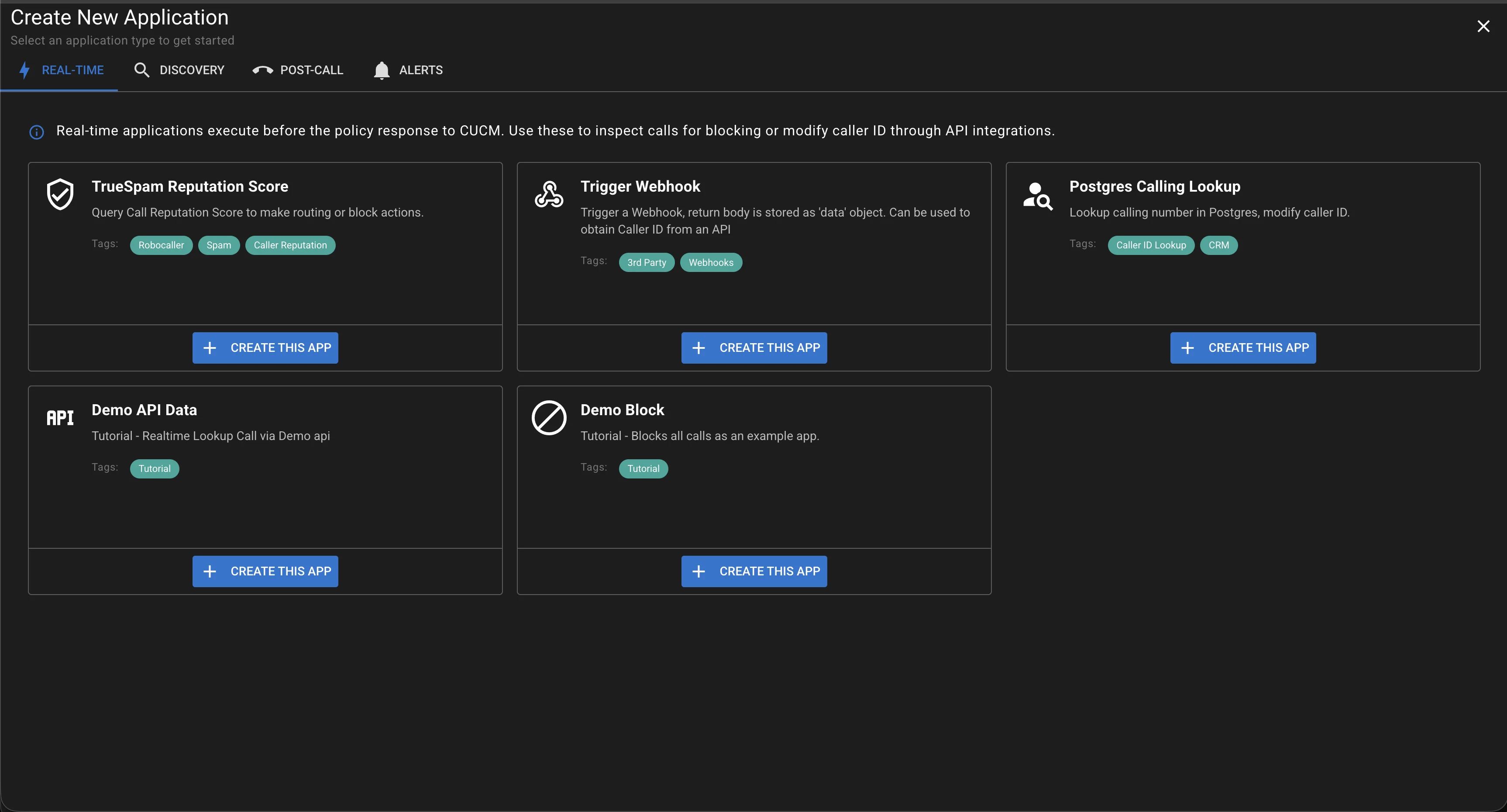
Popular Apps:
- TrueSpam - Reputation-based spam filtering
- Webhook - Send data to any API
- Phone Discovery - Get real-time phone location
- Webex Teams - Post to Teams spaces
Apps can also modify the call based on API responses - like setting Caller ID from a CRM lookup.
Step 6 - Copy the Policy Link
After saving, copy the policy link to configure in CUCM.

Step 7 - Attach to CUCM Route Pattern
In Cisco Callmanager:
- Navigate to Device > External Call Control Profile
- Create or edit a profile pointing to your Call Telemetry server
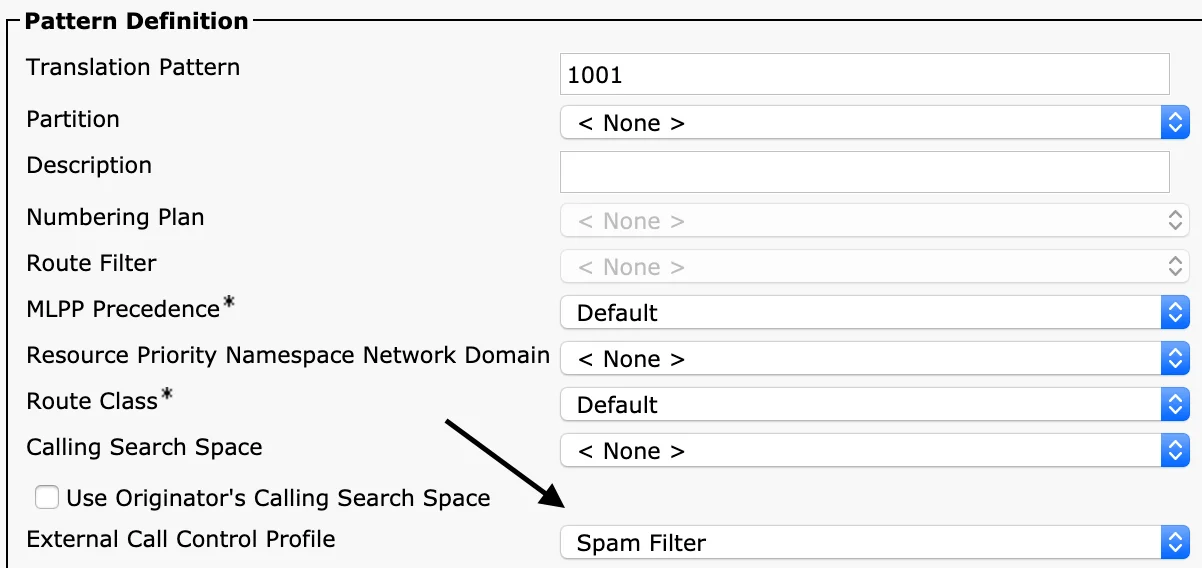
- Navigate to Call Routing > Route Pattern (or Translation Pattern)
- Assign your External Call Control Profile to the pattern
Step 8 - Test Your Policy
Make a test call that matches your pattern. Then verify:
- Call Logs - Check that Call Telemetry received the call
- Rule Match - Verify the correct rule was applied
- Alerts - Confirm notifications fired (if configured)
Check policy health to verify CURRI connectivity:

Rule Processing Order
Rules are processed in this order:
- Global Block List - Checked first if enabled on the policy
- Block Rules - Evaluated before permit rules
- Permit Rules - Most specific match wins
The most specific pattern match is applied. 5551234567 beats 555.* beats .*.
Example: Block a Specific Caller
Scenario: Block calls from 555-123-4567 to your main line.
- Create rule named "Block Scammer"
- Called Number:
.*(or your main line pattern) - Calling Number:
5551234567 - Action:
Block
Example: Alert on VIP Caller
Scenario: Notify reception when the CEO calls.
- Create rule named "VIP - CEO"
- Calling Number:
5559876543(CEO's number) - Action:
Permit - Add Email alert: "VIP Call: CEO calling {{event.called_number}}"
Example: CRM Caller ID Lookup
Scenario: Show CRM contact name on Cisco phone display.
- Create rule with Calling Number:
.* - Add Webhook App pointing to your CRM API
- Configure modifier to set Calling Name from API response
- Calls now show "John Smith - Acme Corp" instead of just the number
Next Steps
Now that you've created your first policy, explore advanced features:
| Feature | What it does |
|---|---|
| Rule Triggers | Advanced pattern matching |
| Call Modifiers | Rename, redirect, transform |
| Call Alerts | Build rich notification templates |
| Call Apps | Integrate with external APIs |
| Greetings | Play announcements before connecting |
Troubleshooting
Policy not receiving calls?
- Verify External Call Control Profile is assigned to your pattern
- Check policy health shows "Connected"
- Confirm CURRI URL is correct in CUCM
Rules not matching?
- Check regex patterns -
.*matches everything - Remember: most specific rule wins
- Review call logs to see what pattern was received
Need help? Contact Call Telemetry Support.