Create a Cisco CUCM Packet Loss Alert
PremiumThe Packet Loss Alert preset evaluates inferred packet loss on linked CMR data and routes a post-call notification when the percentage exceeds the configured value.
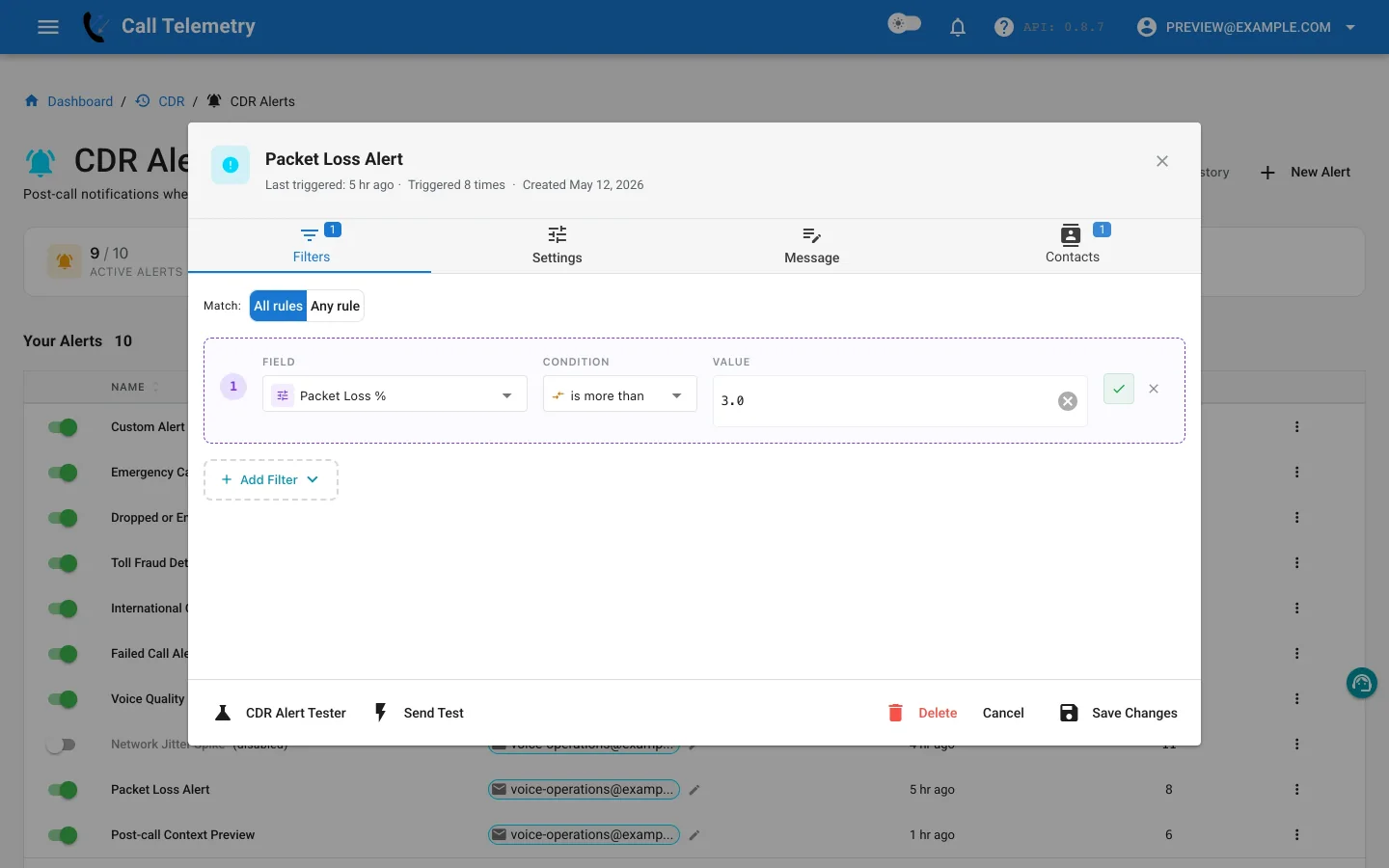
Choose and inspect the preset
Open Alerts → CDR Alerts → New Alert, then choose Packet Loss Alert. It starts at Critical severity with one All-mode rule:
| Field | Operator | Preset starting value |
|---|---|---|
inferred_packet_loss_pct | greater_than | 3.0% |
With one rule, All requires inferred packet loss above the threshold. 3% is an editable preset starting point, not a universal Cisco requirement. Compare endpoint, codec, and site behavior in CMR reports before deciding which value deserves notification and which belongs only in reporting.
CMR-aware profiles evaluate after CDR/CMR linking and currently use a 15-minute cooldown after a trigger.
Build an actionable message
Include inferred loss percentage, packet count, MOS, jitter, codec, device, caller, called number, and available phone, switch, port, subnet, or location context. The enrichment can support diagnosis but does not expand the filter fields.
Test, activate, and review
- Add voice and network operations contacts.
- Use Send Test for delivered email and previews of Teams, Webex, SMS, and webhook.
- In Alert Lab, use a percentage above the configured value, then one below it. Email, Teams, and Webex can be delivered; SMS and webhook are safety-skipped.
- Activate the profile and inspect History after linked records arrive.
- Use CMR reports to determine whether matching calls share a device, subnet, switch path, codec, or time window.
Return to the CDR Alerts overview.