Create a Cisco CUCM Network Jitter Alert
PremiumThe Network Jitter Spike preset evaluates jitter on linked CMR records and sends a post-call notification when the measurement exceeds the configured threshold.
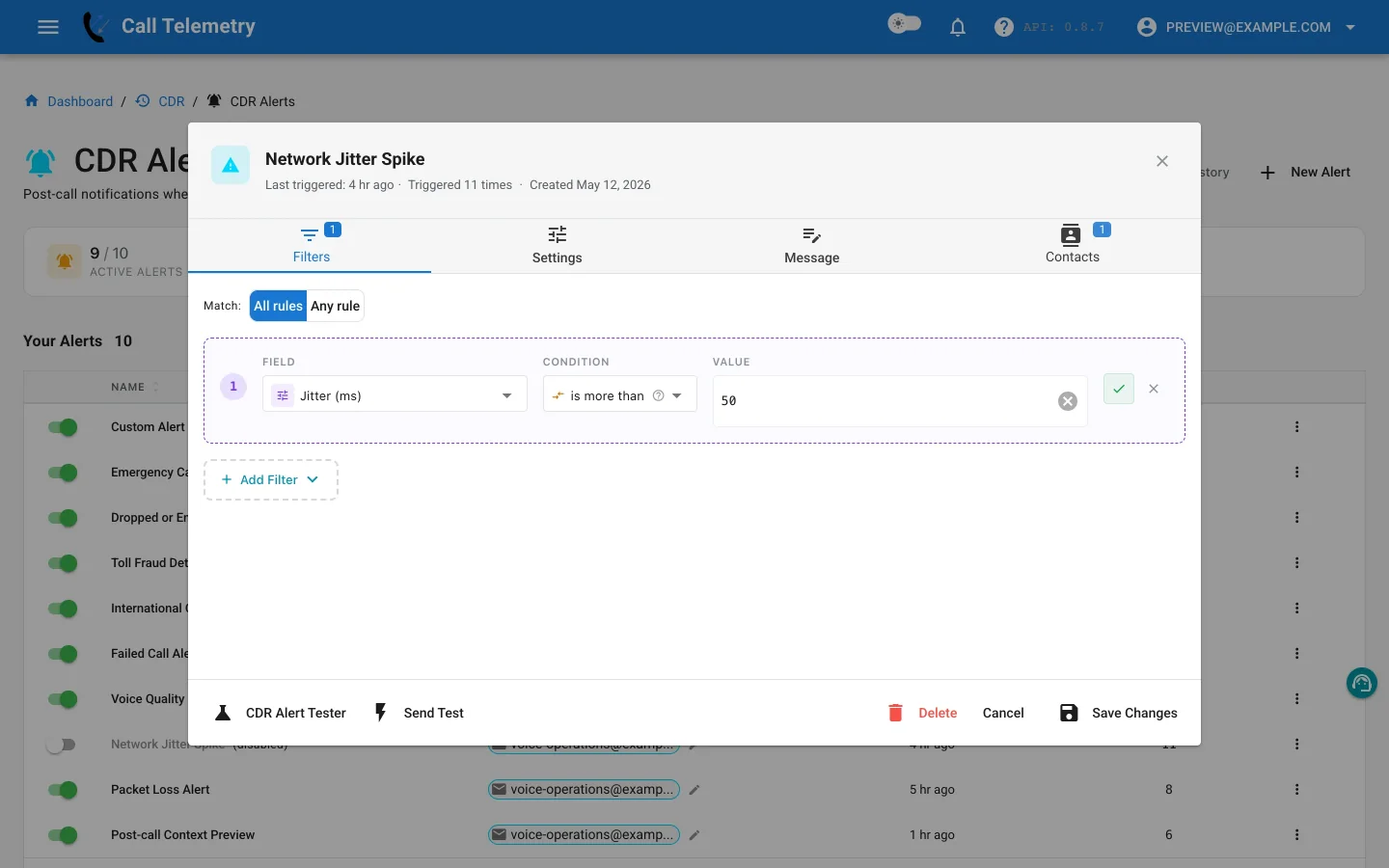
Choose and inspect the preset
Open Alerts → CDR Alerts → New Alert, then choose Network Jitter Spike. It starts with one All-mode rule:
| Field | Operator | Preset starting value |
|---|---|---|
jitter | greater_than | 50 ms |
With one rule, All requires jitter above the threshold. 50 ms is an editable preset starting point, not a universal Cisco requirement. Review the distribution in CMR reports, then choose a value that separates routine variation from calls your team will investigate.
CMR-aware profiles evaluate after CDR/CMR linking and currently use a 15-minute cooldown after a trigger.
Add network and device context
Include jitter, latency, MOS, packet loss, codec, device, caller, called number, and available phone location. Switch, port, subnet, and location enrichment can make a site pattern visible in the notification, although those enriched values are not filterable.
Test, activate, and review
- Add voice and network operations contacts.
- Use Send Test to deliver email and preview the other channel output.
- In Alert Lab, set jitter above the chosen value, then below it. Email, Teams, and Webex can be delivered; SMS and webhook are safety-skipped.
- Activate the profile and review History after linked records arrive.
- Compare repeated device or site results in CMR reports before changing the network or the threshold.
Return to the CDR Alerts overview.