Create a Cisco CUCM Emergency Call Alert
PremiumUse the Emergency Call Alert preset to notify safety or facilities contacts after Call Telemetry receives a CUCM CDR for a configured emergency number. This is a post-call record workflow; see E911 notifications for real-time emergency notification and location handling.
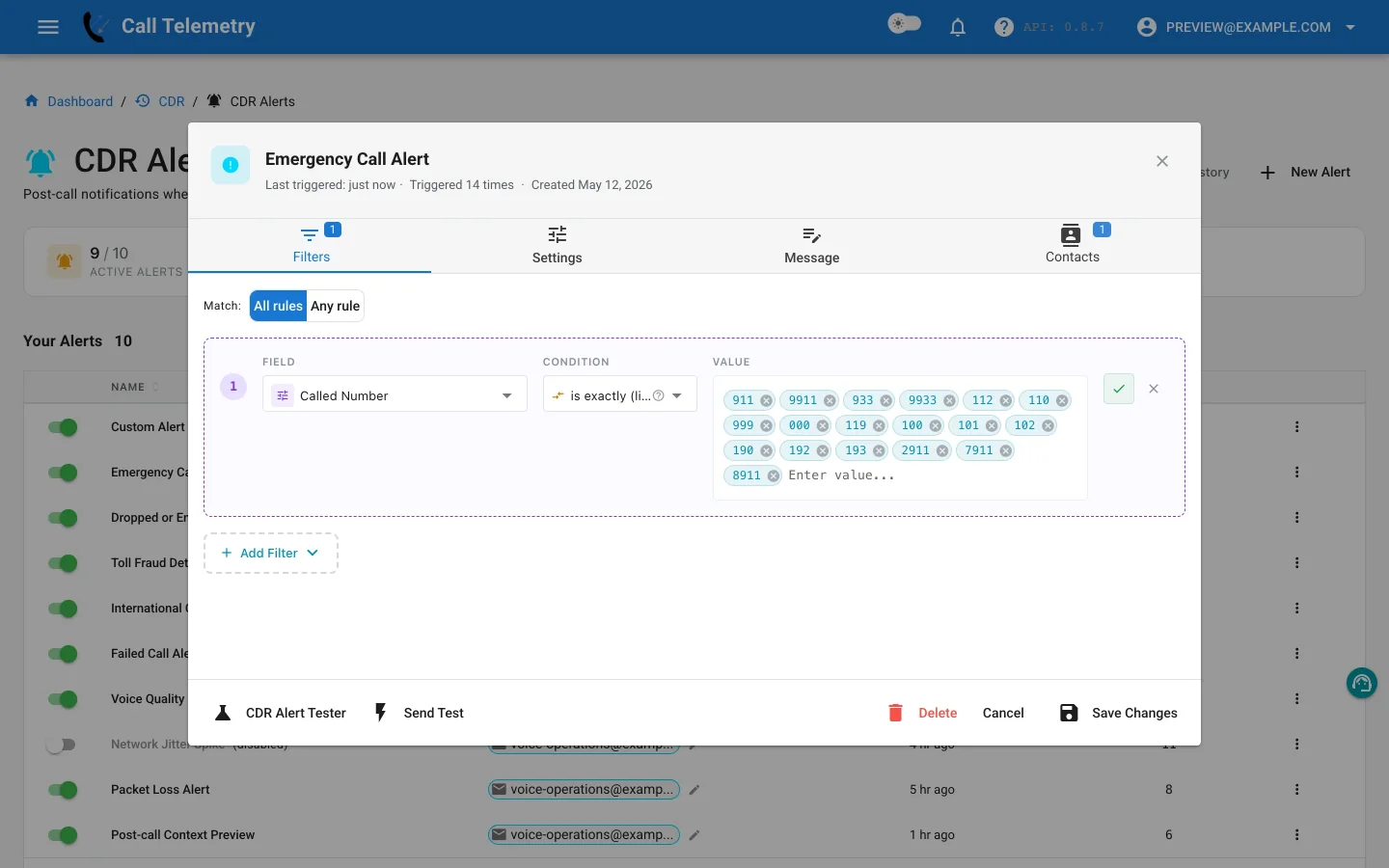
Choose the preset
- Open Alerts → CDR Alerts and select New Alert.
- Choose Emergency Call Alert.
- Review the profile name, Critical severity, message, and notification ownership before saving it.
Inspect and adapt the rule
The preset uses All matching with one rule:
| Field | Operator | Default value |
|---|---|---|
finalCalledPartyNumber | in_list | Configured emergency-number list |
With one rule, All means that the final called number must appear in the list.
Review the list against the dial plan, including access prefixes and regional emergency numbers that CUCM records after digit manipulation. Remove test or service numbers that should follow a different workflow.
Add location-aware message context
The default message can include the calling number, resolved caller, phone model and IP, AXL location, switch and port, subnet, and best available address. Those values are enrichment for the notification; they are not additional filter conditions.
Keep the calling and final called numbers in the message even when location enrichment is available. They make the notification useful when a device has incomplete discovery data. See Custom Alert message namespaces for available context.
Route, test, and activate
- Add the safety, facilities, or telecom contacts responsible for post-call review.
- Use Send Test to deliver email and preview Teams, Webex, SMS, and webhook output.
- Use Alert Lab with a configured emergency number. Email, Teams, and Webex can be delivered; SMS and webhook are safety-skipped.
- Change the synthetic number to an ordinary destination and confirm the rule does not match.
- Save and activate the profile.
Open Alerts → CDR Alerts → History after a representative CDR arrives. Confirm the number, phone/location context, grouped-record count, contacts, and delivery results.
Return to the CDR Alerts overview or configure the real-time E911 notification workflow.