Call Capacity and Load Testing CURRI API
The default OVA is sized with capacity for most installations.
Default Capacity of Vmware Appliance
The OVA Appliance is generally sized for about 300-400 concurrent calls insepctions per second under 10ms round trip time, constant load (95th percentile) over ethernet. This will vary depending on your host CPU hardware, but is a good baseline for many installations.
Host Environments for testing.
- I9-10500T (8 Core)
- Vmware 7.0SU3
- Guest VM - Default Call Telemetry OVA - 4vCPU, 8GB RAM.
Test Examples
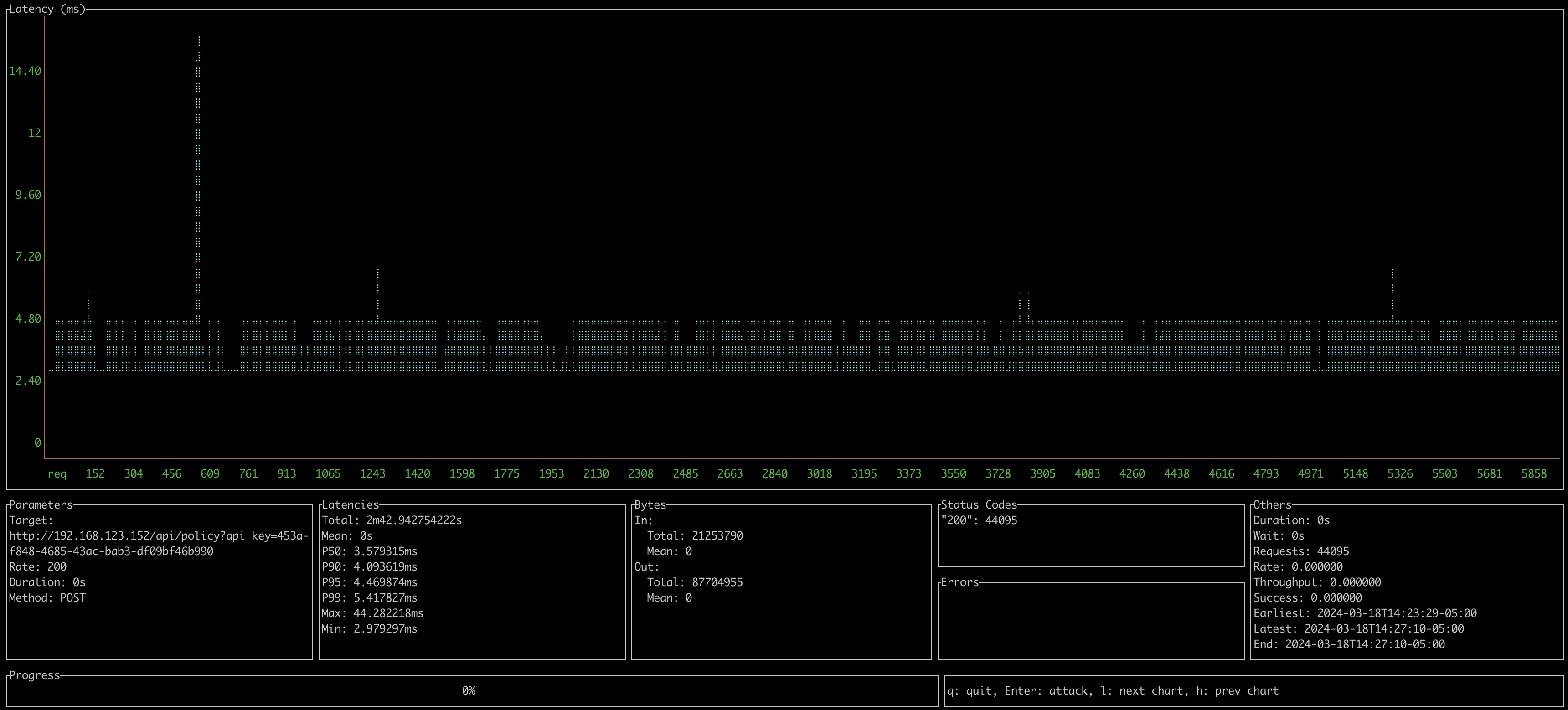
0.8.1 - Default OVA Appliance 2 vCPU / 4GB Ram
- Client 2019 Macbook Pro over ethernet
- 200 CURRI API Calls per second
- P95 Latency: 4-5ms
- 1 Permit Rule
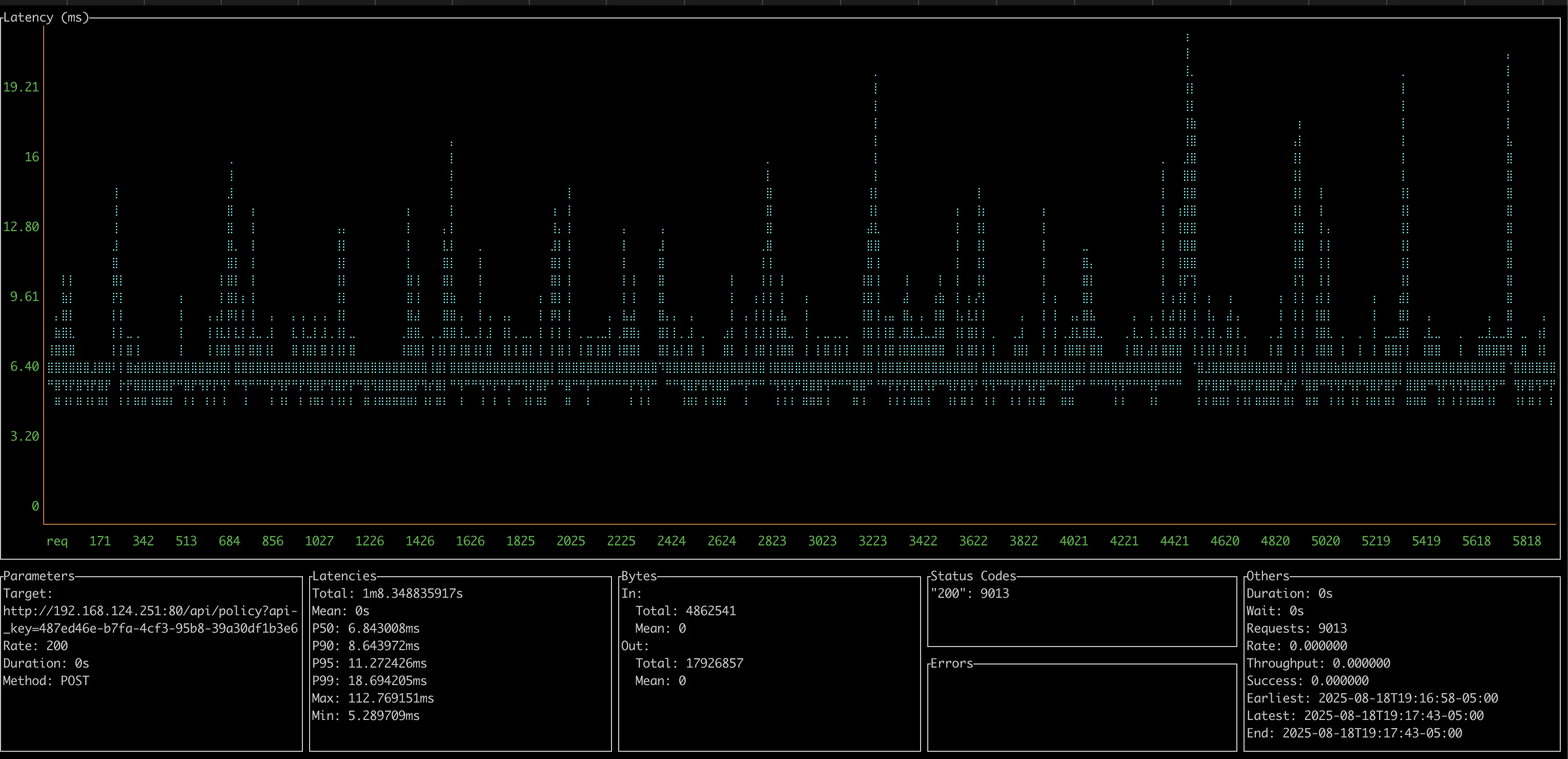
0.8.4 - Default OVA Appliance 2 vCPU / 6GB Ram
- Client 2019 Macbook Pro over wireless
- 200 CURRI API Calls per second
- 1 Permit Rule
- P95 Latency: 11-12ms
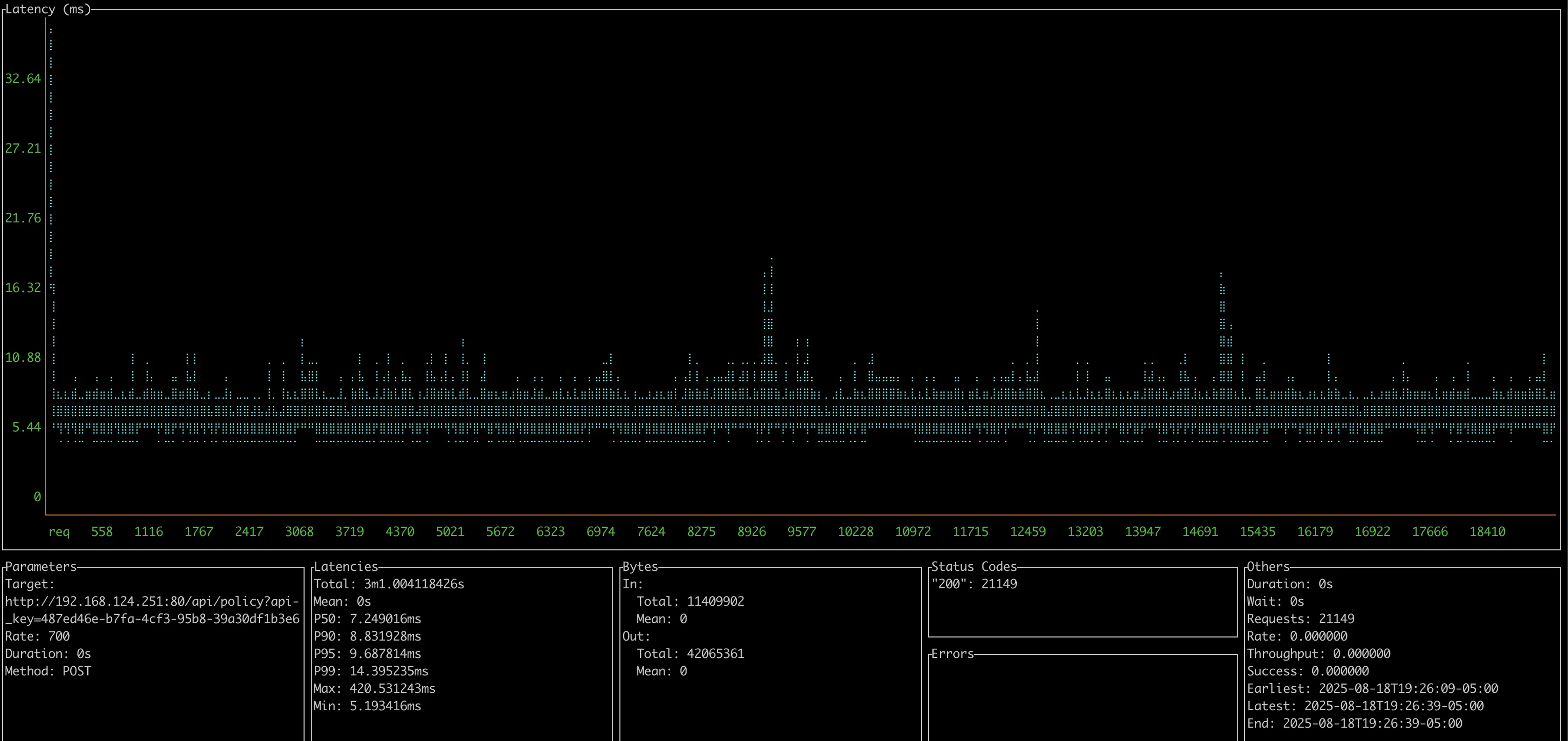
0.8.4 - OVA Appliance with 8 vCPU / 6GB Ram
- Client 2019 Macbook Pro over wireless
- 700 CURRI API Calls per second
- P95 Latency: 9-10ms
- Server at about 60% CPU load
- 1 Permit Rule
Sizing Benchmark - Pattern Matching
- Test Hardware: Apple M2 Max, 96GB RAM
- Rule Set: 1,000 rules (800 exact number rules + 200 regex rules)
- Duraiton: 30 seconds
- Throughput: 58 calls/sec per core
Latency Results:
- Average: 17ms
- Median: 11ms
- P95: 17ms
You can scale the OVA by increasing vCPU, each vCPU increases about 100 calls per second. Lab Tested above at 700 call inspections per second. HA Cluster load balancing acheives even higher numbers if needed.
With complex rule sets (800+ exact rules, 200+ regex patterns), expect approximately 60 calls per second per core with P95 latency around 17ms.
Load Testing your own Appliance
Below is a guide for load-testing the appliance and your hardware. Load Testing Guide
What happens if the appliance becomes overloaded?
If overloaded, the request from Cisco Callmanager may timeout. CUCM will timeout, this is configurable in Service Parameters. Calls will continue according to the ECC profile setting default - which defaults to allow calls. Most users will choose to allow the call if the API times out.
If you want to increase the capacity, just add more vCPU. The multi-core architecture supports about 100 new call real-time policy inspections per vCPU per second.
Failover Concerns
The Enterprise HA Kubernetes option provides failover for the appliation and the PostgreSQL database. This is a 3 node cluster, and can handle a node failure. SQL is replicated across nodes. The extra nodes also increase overall capacity by load balancing.