OVA Troubleshooting
Collecting Logs
The best way of collecting logs on the OVA Appliance is to click Settings -> Troubleshooting -> Download logs.
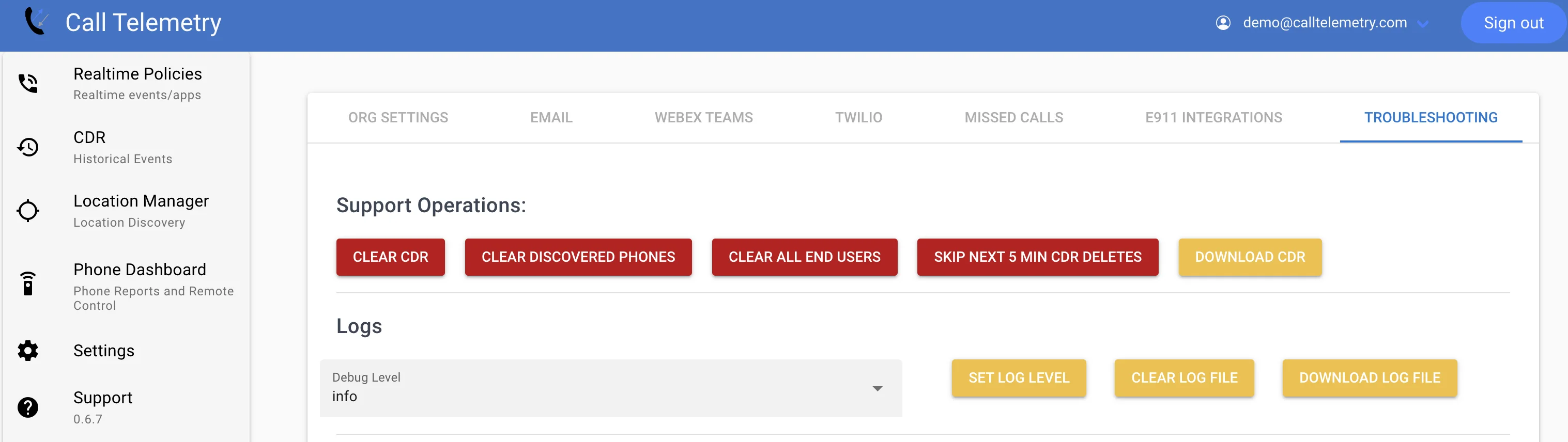 It would be ideal if you change the mode to "Debug", click set Log Level, repeat your problem, and then download that log file.
Accessing the OS / CLI
The appliance runs docker as the primary application platform. Everything else on the OS can be modified freely.
Use SSH port 2222 for remote access
On the OVA Docker Appliance you can SSH to the box on port 2222.
Becase Port 22 is SFTP/CDR
Raw Docker Logs
It's rare, but you might need to get down to the docker logs to see what's going on.
sudo docker-compose logs
Contact support@calltelemetry.com to share those logs