Microsoft Teams E911 Integration
Call Telemetry integrates with Microsoft Teams to capture real-time emergency calls (such as 911 and 933) and trigger immediate security workflows. When a user dials an emergency number, Call Telemetry ingests the event via Azure Event Hubs, resolves the caller's civic location, snapshots routing destinations, dispatches multi-channel alerts, and updates live Teams emergency chats.
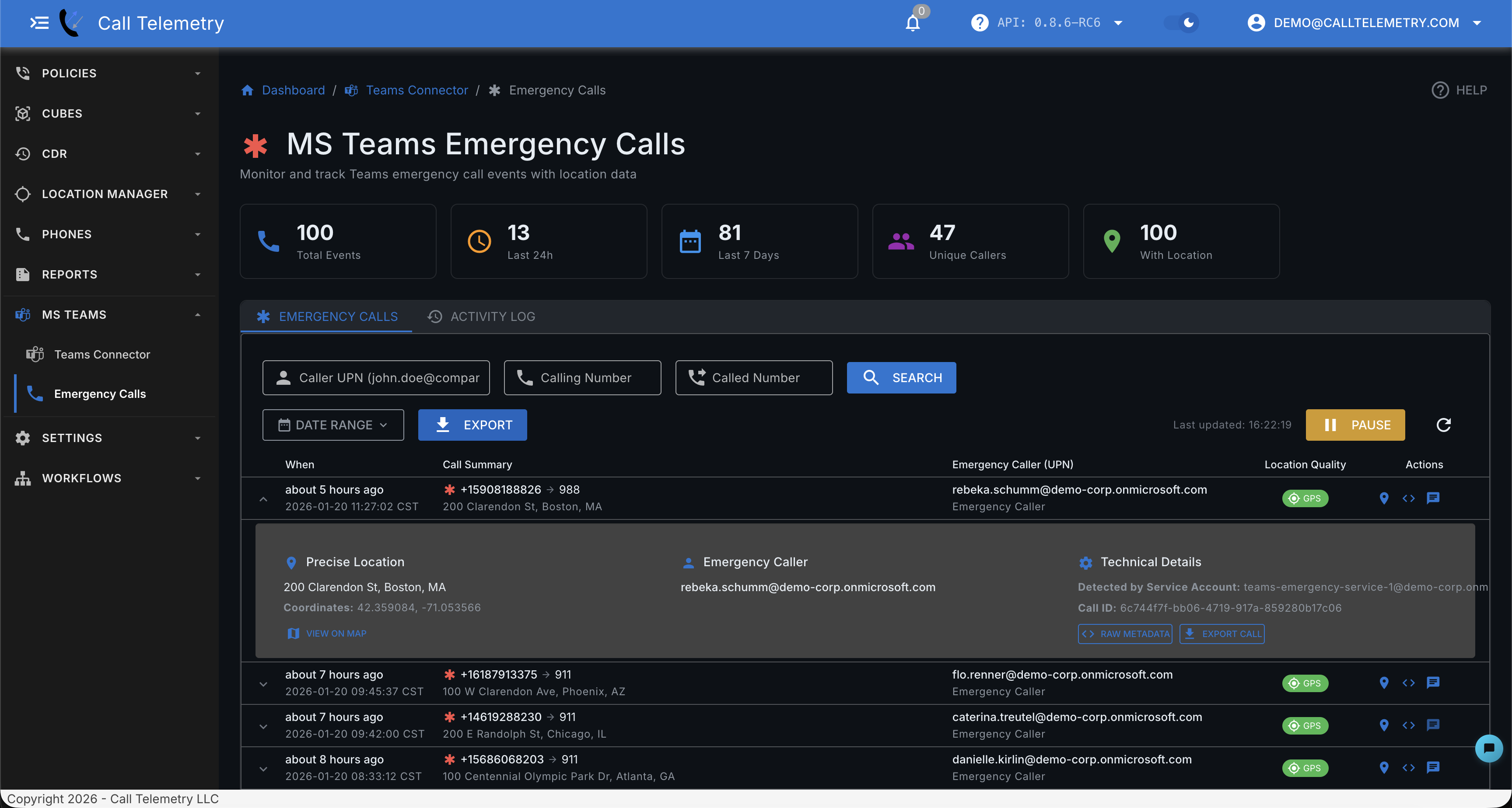
How It Works
Real-time emergency call streaming operates entirely through Azure Event Hubs:
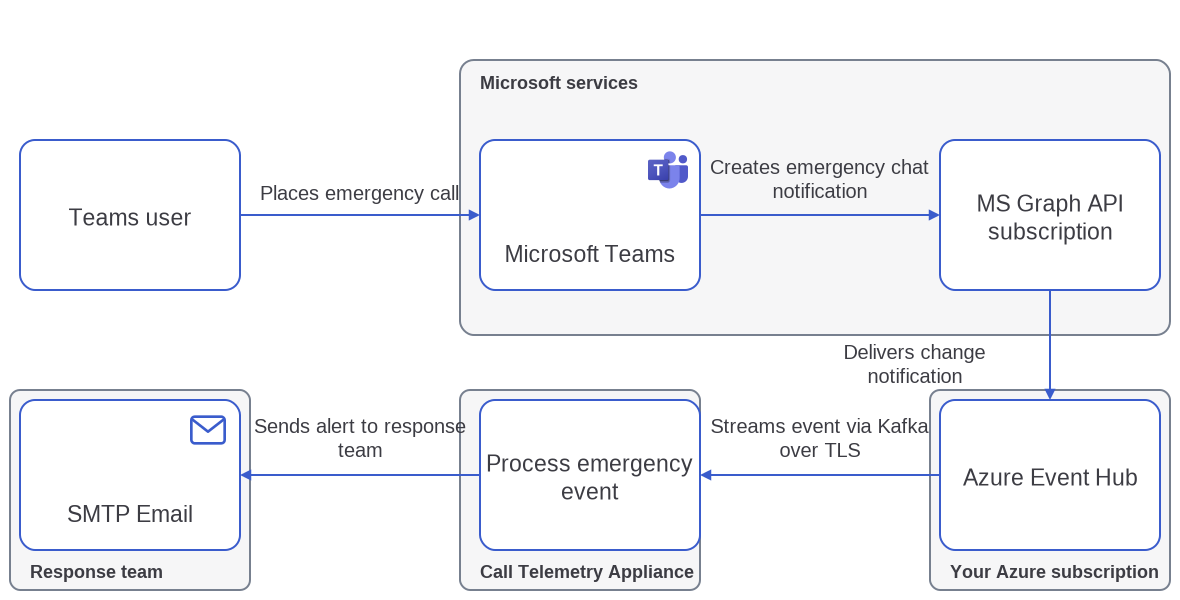
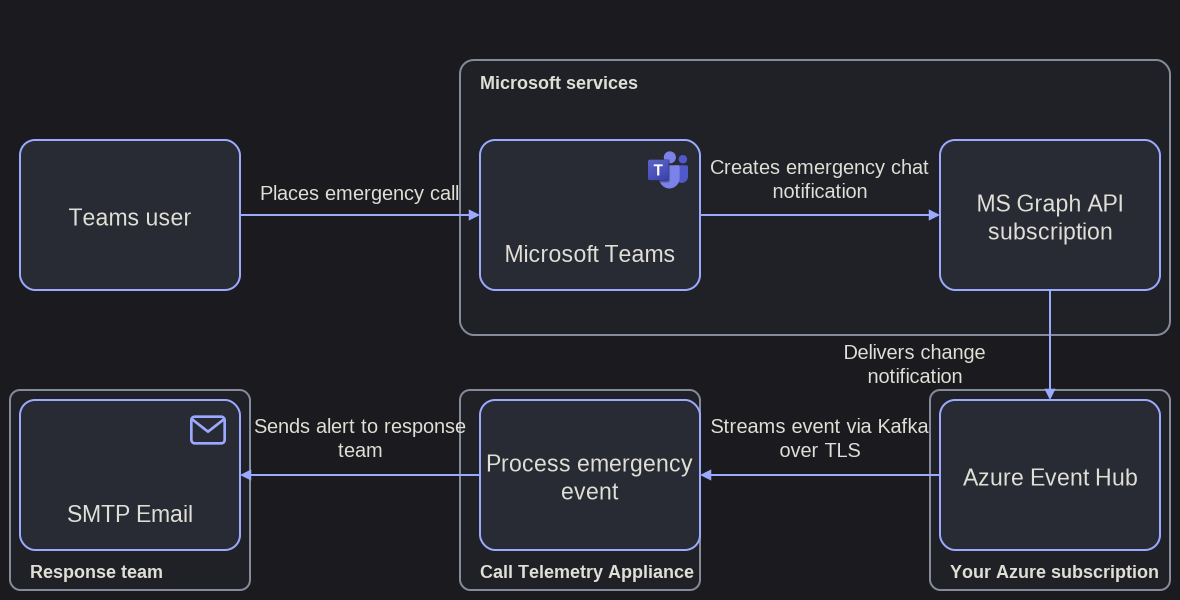
- User dials 911 or 933 from any Microsoft Teams client.
- Microsoft Graph subscription intercepts the real-time emergency event (
communications/calls/getEmergencyEventsByPolicy). - Azure Event Hubs streams the encrypted payload directly to Call Telemetry.
- Call Telemetry normalizes the civic address, evaluates alert profiles, snapshots contacts, and triggers configured workflow dispatches.
- Security teams receive instant notifications, while the incident chat card updates automatically in Microsoft Teams.
Readiness & Operational Health
Call Telemetry 0.8.6 continuously monitors transport readiness and subscription health in Alerts → CDR Alerts → Enabled call streams → Teams emergency events:
- Event Hubs Consumer Health: Verifies that consumer partitions are receiving events and committing checkpoints without lag.
- Graph Subscription State: Tracks Microsoft Graph subscription expiration and automatically handles renewal.
- Policy Coverage: Verifies that every active Teams emergency calling policy is bound to an active Event Hubs subscription.
- Readiness States: Surfaces
Healthy,Attention, orFailed. If consumer lag develops or checkpointing pauses, Call Telemetry raises a possible event gap warning to alert operators.
Civic Location Routing & Workflow Dispatch
- Structured Civic Address Matching: Call Telemetry matches structured civic address components (street, city, state/province, postal code) against the internal E911 location database. Place IDs, coordinates, and room numbers are excluded from matching keys to prevent ambiguous matches.
- Fallback Routing: Any call with an unmapped or unresolved civic address automatically routes to a designated fallback recipient team, ensuring zero dropped alerts.
- Workflow Dispatch: Emergency events can trigger automated Call Telemetry workflows, including automated security announcements, external API lookups (e.g., Meraki wireless AP mapping or ServiceNow CMDB), and Notify broadcast paging.
Requirements
Starting in Call Telemetry 0.8.6, webhook mode is completely removed. All real-time Teams emergency notifications require Azure Event Hubs. Legacy webhook configurations must be migrated prior to upgrading to 0.8.6.
- Call Telemetry: 0.8.6 or later with a Premium license.
- Azure Subscription: Standard tier Azure Event Hubs namespace with
Azure Event Hubs Data Senderassigned to Microsoft Graph Change Tracking (0bf30f3b-4a52-48df-9a82-234910c4a086). - Microsoft Entra ID App Registration: Application permission
CallEvents-Emergency.Read.Allwith tenant admin consent. - Microsoft 365 Service Account: Dedicated user account with Microsoft Teams license for emergency chat updates.
Next Steps
- Architecture Overview: Deep-dive into technical components, encryption, and data flows.
- Azure Integration Guide: Step-by-step Azure Event Hubs and Entra ID configuration guide.
- Teams Emergency Alerts Guide: Operator procedures for civic location mapping, route snapshots, and mandatory two-pass controlled 933 UAT.
- Teams Settings & Onboarding: Appliance onboarding and credential management.