Call Policy Design with Cisco CallManager CURRI API
Cisco CallManager provides a native CURRI API (Cisco Unified Routing Rules Interface) that allows you to inspect and control calls in real-time. CURRI spam call blocking works by having CallManager ask Call Telemetry for a routing decision before it routes each screened call; Call Telemetry's call policies then permit, block, or redirect the call. This guide will help you understand how to design effective call blocking and inspection policies using the CURRI API.
Best Practices and Recommended Designs
- Organization-wide inbound calls: Apply the ECC profile to inbound translation patterns before routing to phones. Use a dedicated inbound CSS for screening and a separate delivery CSS that excludes the screening partition.
- Pilots and selected destinations: DN-level policies are easy to start with and useful for destination-specific rules. Use the inbound design when expanding to organization-wide screening.
- Ten-digit dial plans: Keep the called digits unchanged when they already match your DNs. The translation pattern's delivery CSS moves the call into the destination partitions.
Designing for Inbound Matching
The Cisco CURRI API (also called External Call Control Profile) triggers on inbound requests towards a Route Pattern, Translation Pattern, or Directory Number. The matched route, translation pattern, or directory number must have an External Call Control Profile assigned, and the call direction must be inbound towards the profile.
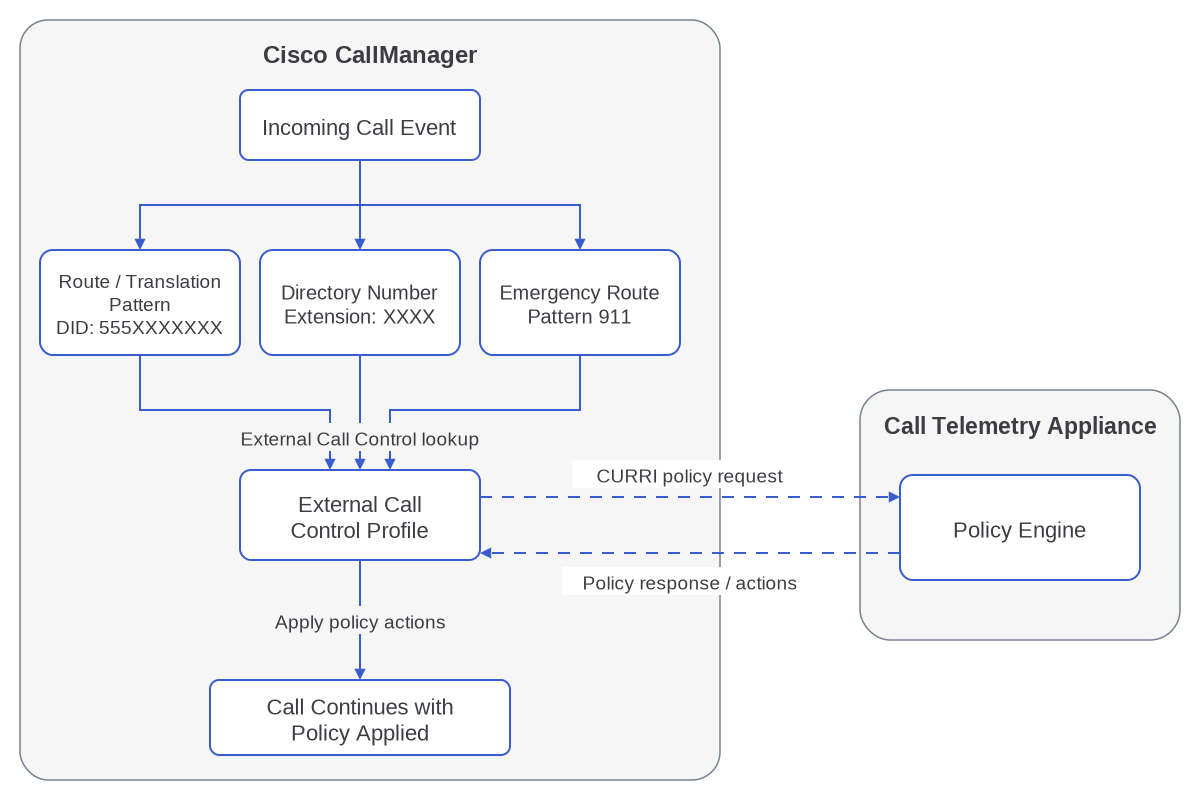
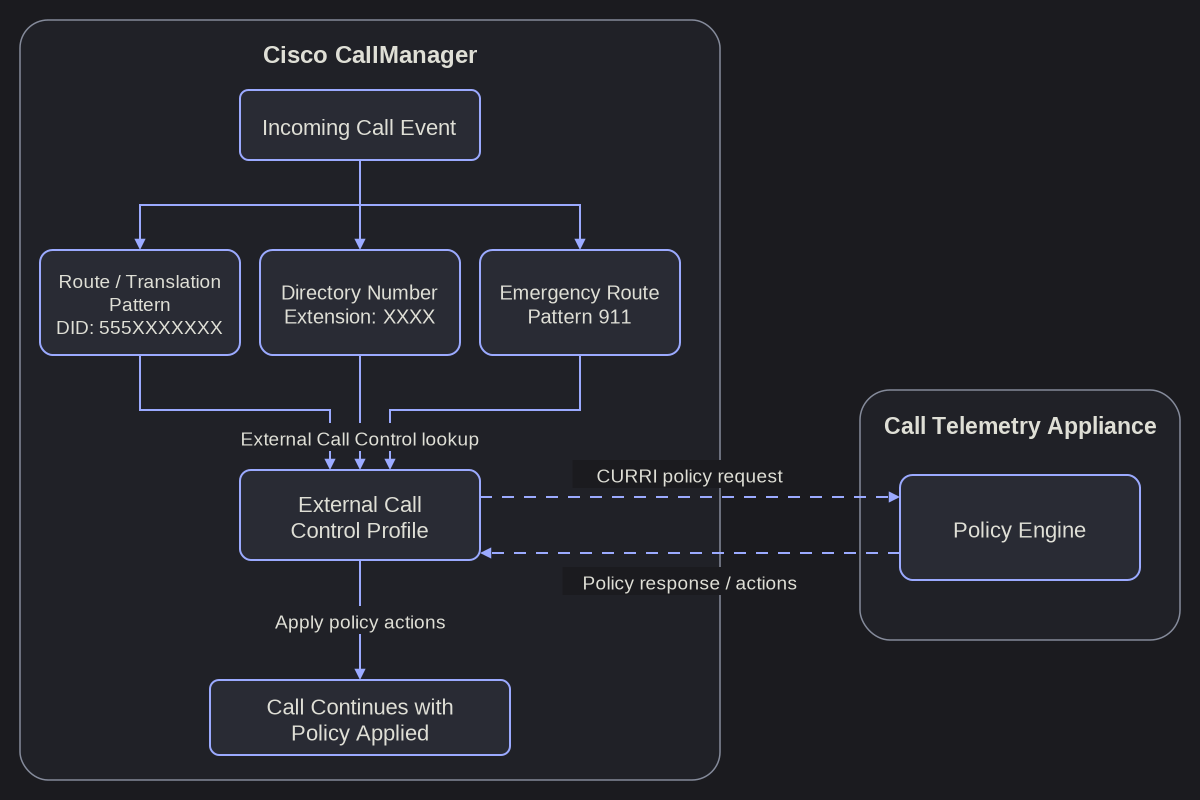
Design Examples for Call Blocking and Inspection
The following examples cover inbound screening, destination-specific policies, and emergency or outbound inspection.
Blocking Calls via DID Translation Patterns
Objective: Block unwanted calls based on Inbound Direct Inward Dialing (DID) patterns.
Policy Design: Apply the ECC Profile to inbound translation patterns from CUBEs to inspect all inbound DID patterns.
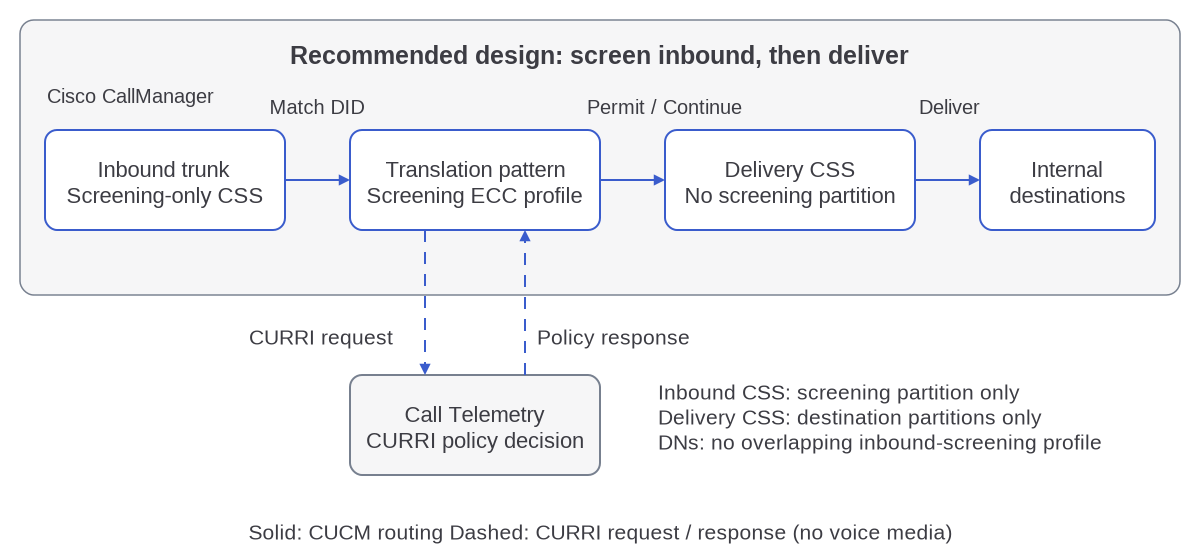
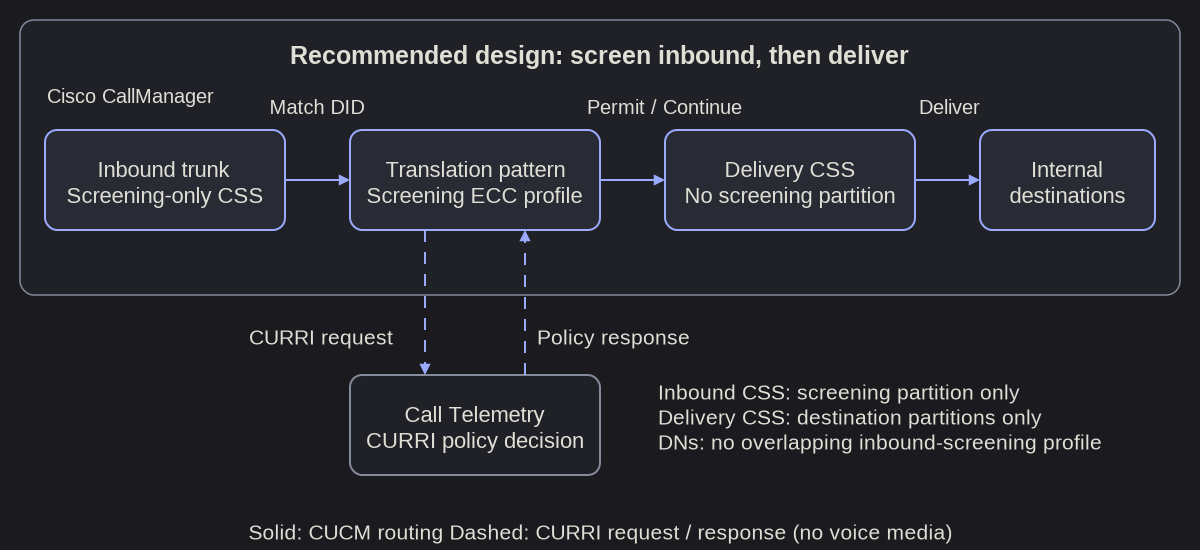
Solid arrows show CUCM routing; dashed arrows show CURRI requests and responses. The recommended path shows Permit / Continue. On smaller screens, scroll horizontally.
Separate Screening from Delivery
- Inbound CSS: Reach the screening partition only. Keep destination DN partitions out so a direct match cannot bypass inspection.
- Translation pattern: Assign the ECC profile and an explicit delivery CSS. Leave Use Originator's Calling Search Space disabled for this handoff.
- Delivery CSS: Reach the required internal destinations and exclude the screening partition, so an unchanged number cannot return to screening.
For a ten-digit DN, 2025550123 can remain 2025550123: the change of CSS moves the call into delivery. Match your assigned DID ranges and account for the number format presented by each trunk.
Applying Policies to Inbound Calls on Phone Extensions
Objective: Block or apply actions on inspecting calls received on phone extensions.
Policy Design: Apply the ECC profile to selected phone extensions for a pilot or destination-specific policy. Use Bulk Administration Tool (BAT) for efficient profile assignment.
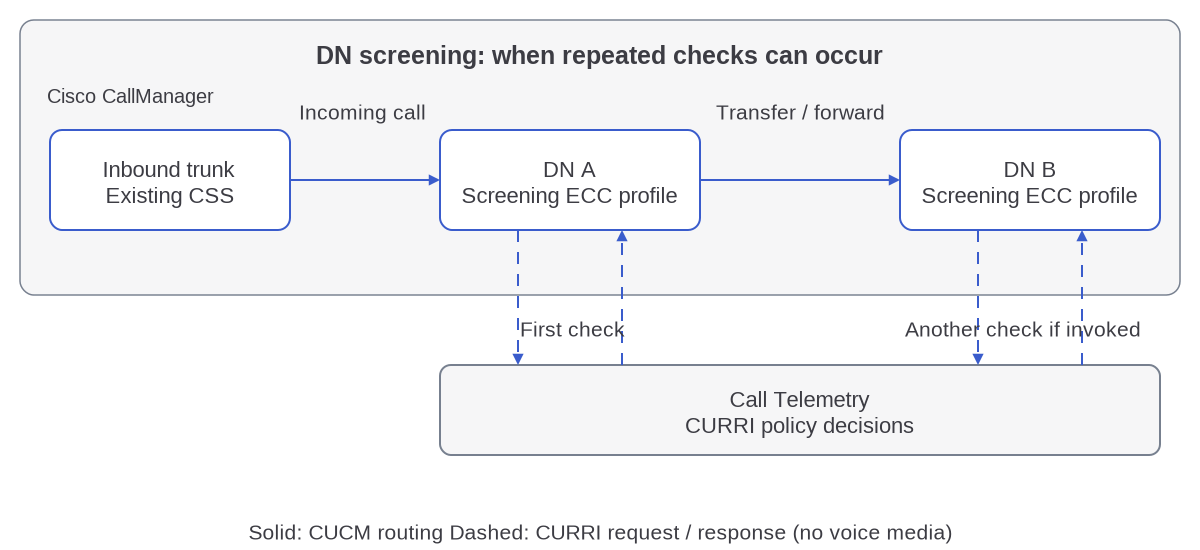
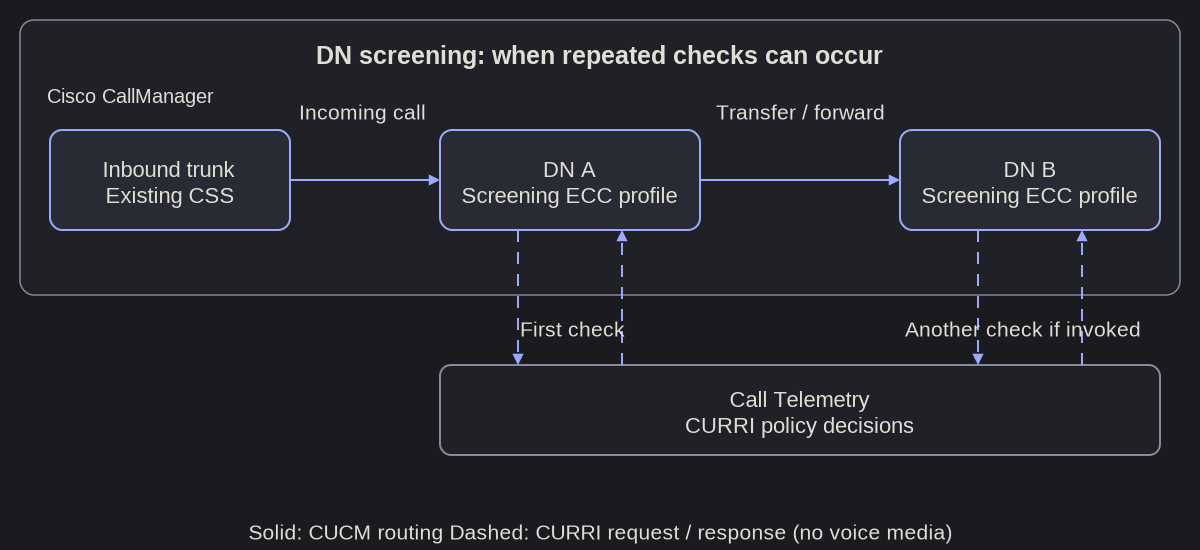
Avoid duplicate screening: Applying the same inbound-screening policy to successive DNs, or to both an inbound pattern and its destination DNs, can repeat checks. Keep additional policies intentional; ten-digit numbering itself does not cause duplicates.
Emergency Call Alerts and Outbound Inspection
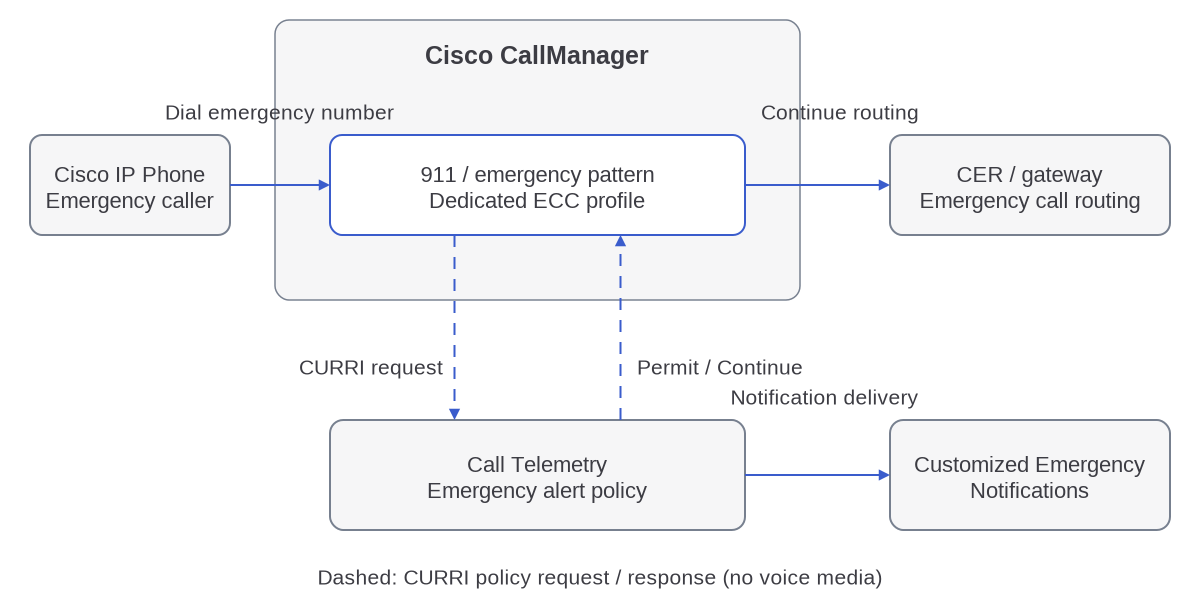
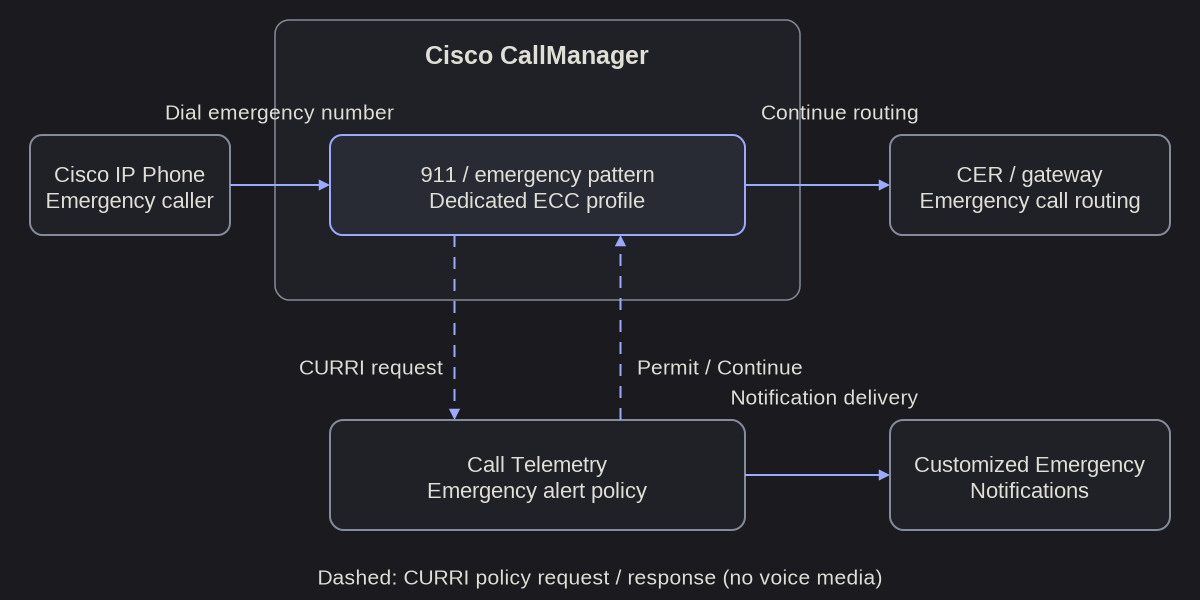
Objective: Trigger emergency alerts and location workflows, or apply a separate policy to selected outbound calls.
Policy Design: Apply a dedicated ECC profile to the relevant route or translation patterns. Keep emergency alerting separate from inbound call blocking and preserve the intended emergency routing.
See Emergency Call Alerts and Cisco CER Integration for the emergency workflow.
Implementation Steps
- Access CUCM Administration Interface: Log in to Cisco Unified Communications Manager Administration.
- Create/Assign ECC Profile: Navigate to Call Routing > External Call Control Profile. Create or edit a profile as needed.
- Assign ECC Profile: Go to Call Routing > Route/Hunt and assign the ECC profile to the necessary Route Pattern, Translation Pattern, or Directory Number.
Validate the Call Flow
A registered ECC profile confirms connectivity, not coverage. Check the route with CUCM Dialed Number Analyzer, then place agreed test calls and review the policy requests.
- Inbound coverage: Test allowed and blocked calls through each primary and backup trunk, using every accepted number format.
- Call handling: Check transfers, forwarding, hunt groups, and voicemail. Identify the purpose of any additional policy evaluation.
- Other call paths: Confirm internal, outbound, and emergency routing follow their intended policies rather than entering inbound screening unintentionally.
- Failure behavior: Verify the ECC profile's selected Call Treatment on Failure. Allow Calls continues normal routing if the exchange fails; Block Calls rejects the call. See CURRI Failure Behavior.
Aim for one intended inbound-screening stage per ingress path. Separate destination policies or consultation calls can still produce legitimate CURRI evaluations.