Call Apps & Alerts
Call Telemetry Apps for Cisco CallManager add caller information, guide call decisions, and send alerts with phone, location, or business data.
Start with Cisco CallManager policy inspection (CURRI). Each app guide lists its license, connection, and credential requirements.


Realtime vs Post Call Apps
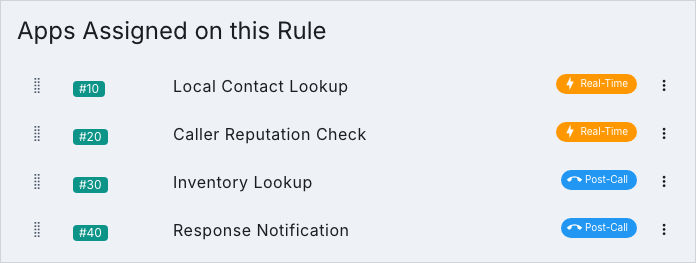
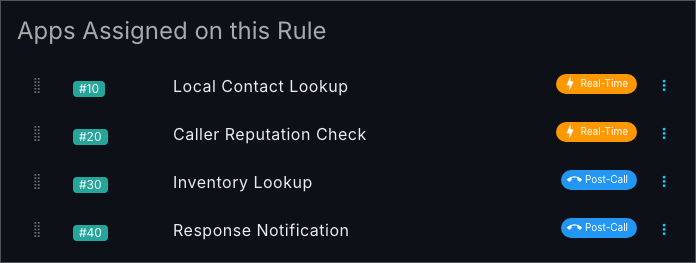
Realtime apps run before the policy response. They can provide reputation or caller-ID context and influence the Permit, Block, or Redirect decision.
Post Call Apps
Post Call apps run in the independent policy notification workflow. They can run for any matched rule, including Block, and do not wait for the call to end.
Discovery and Alerting are catalog groups within the independent workflow. App order controls apps within each category.
Common Workflows
| Goal | Example |
|---|---|
| Caller ID and reputation | Use Local Contacts to look up a caller name, or use a configured caller-reputation app to inform a call action. |
| Add context to notifications | Phone Data Discovery supplies available phone and network details. An optional ServiceNow CMDB or Subnet CSV lookup can add selected fields for an alert. |
| Connect a business system | A Webhook GET can retrieve JSON fields for the next app or alert. A POST can send selected call and app fields to another system; check that system to verify its resulting action. |
Getting Started with Apps
- Create the app and configure its data source or endpoint.
- Attach it to the rule whose match should trigger the app.
- Set app order within its category so each lookup has the data it needs.
- Run Policies → Call Test and inspect the app results and rendered alert. Use test endpoints and recipients: Call Test can run apps and send alerts.
Check the policy result, each app's returned data, and delivery at the receiving system. For an initial setup check, use the Demo API app.
App Guides
| Purpose | Guides |
|---|---|
| Caller information and call actions | Local Contacts · Caller reputation · PostgreSQL · CRM Webhook |
| Phone and location context | Phone Data Discovery · Subnet CSV · Meraki · ServiceNow CMDB · SOAP Query |
| Alerts and system requests | Webhook · Rule Alerts and Templates · Emergency Notifications · Twilio SMS · SMS to Caller · Webex Teams |
For related rule actions, see Greeting Injection and Policy Processing Order.