Greeting Injection Policies
Greeting policies control what audio is played, who hears it, and when injection fires. Each controlled device references a greeting policy — if no policy is assigned, no injection occurs on that device.
Navigate to Greeting Injection > Greeting Management and select the Greeting Policies tab.
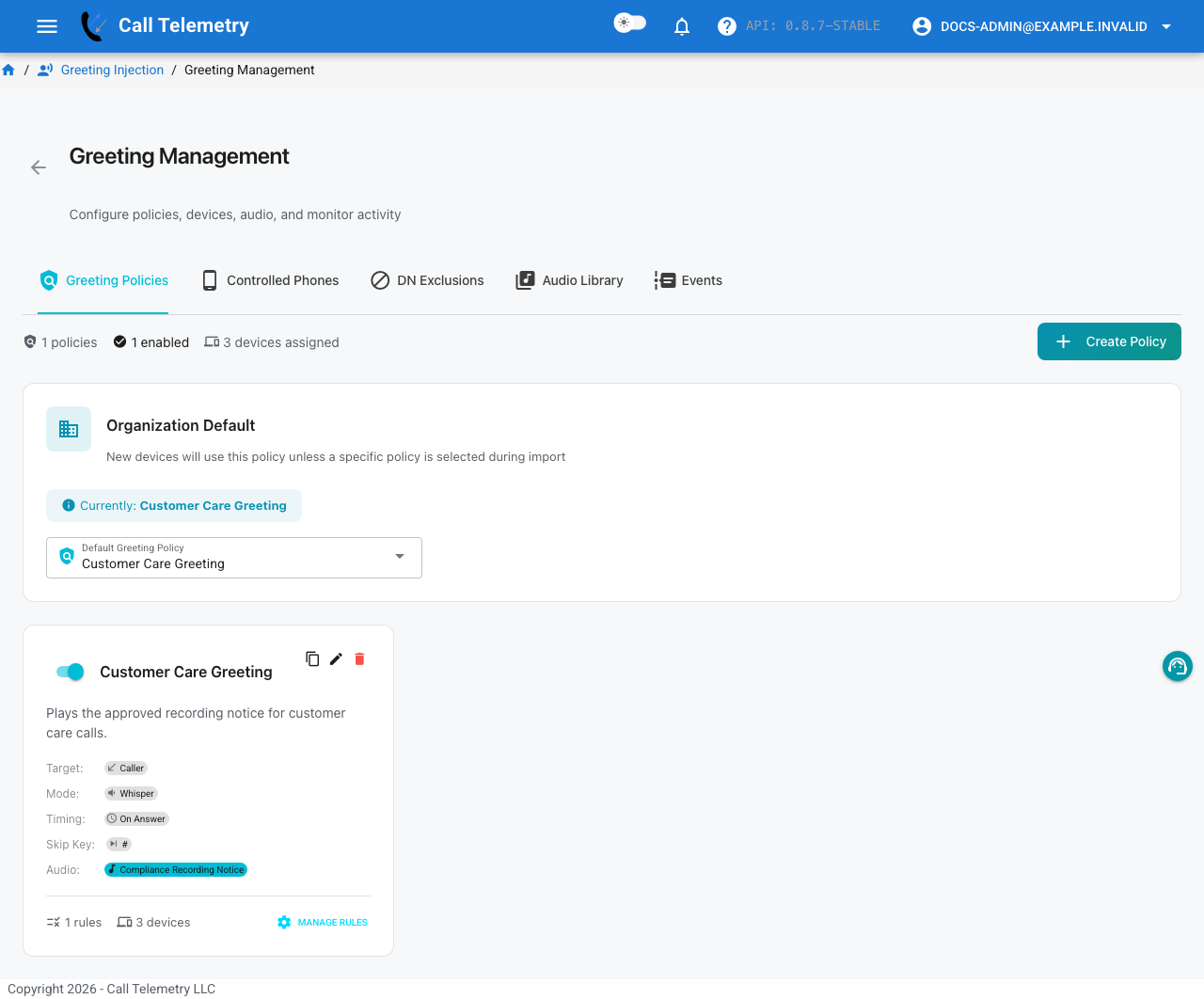
The Greeting Management page provides five tabs for the complete injection workflow:
| Tab | Purpose |
|---|---|
| Greeting Policies | Create and configure injection policies |
| Controlled Phones | Assign devices to monitor for injection |
| DN Exclusions | Directory numbers that should never trigger injection |
| Audio Library | Upload and manage greeting audio files |
| Events | Live and historical injection activity log |
Organization Default
The Organization Default at the top of the Greeting Policies tab is the greeting policy applied to any controlled device that does not have a policy explicitly assigned. Devices without a dedicated policy inherit this default.
Set this to None to require manual policy assignment per device, or select a policy to cover all unassigned devices automatically.
Creating a Policy
Click Create Policy and configure:
| Field | Description |
|---|---|
| Name | Descriptive label for the policy (e.g., "Your call may be monitored or recorded for quality purposes") |
| Default audio file | The greeting audio to play — selected from your Audio Library |
| Timing | When injection fires: On Answer |
| Max duration | Maximum playback time in seconds — the port is released when this limit is reached even if the audio hasn't finished |
| Skip key | Optional DTMF digit (0-9, *, #) that lets the caller press to stop playback early |
Each policy card displays its configuration at a glance — timing, audio file — along with counts of assigned rules and devices.
Playback Modes
Greeting audio reaches the call through one of two injection modes:
| Mode | How it plays | Requires |
|---|---|---|
| Whisper | The greeting plays through the phone's Built-In Bridge (BiB) — no conference bridge is created. Targeting both parties mixes the greeting into what both hear via BiB; targeting a single party plays it to that party only. | BiB enabled on the phone |
| Conference | A true conference is created (via CUCM conferencing, using an MTP media resource) and the greeting is bridged into it. | An MTP media resource; also required for the DTMF skip key on phone-to-phone calls |
Whisper mode is the lighter-weight option once BiB is enabled on your phones. Conference mode is what you need when callers should be able to press the skip key on phone-to-phone calls, since the audio path runs through the conference and its MTP resource.
Rules (Overrides)
Click Manage Rules on a policy card to add conditional overrides that change greeting behavior for specific call patterns.
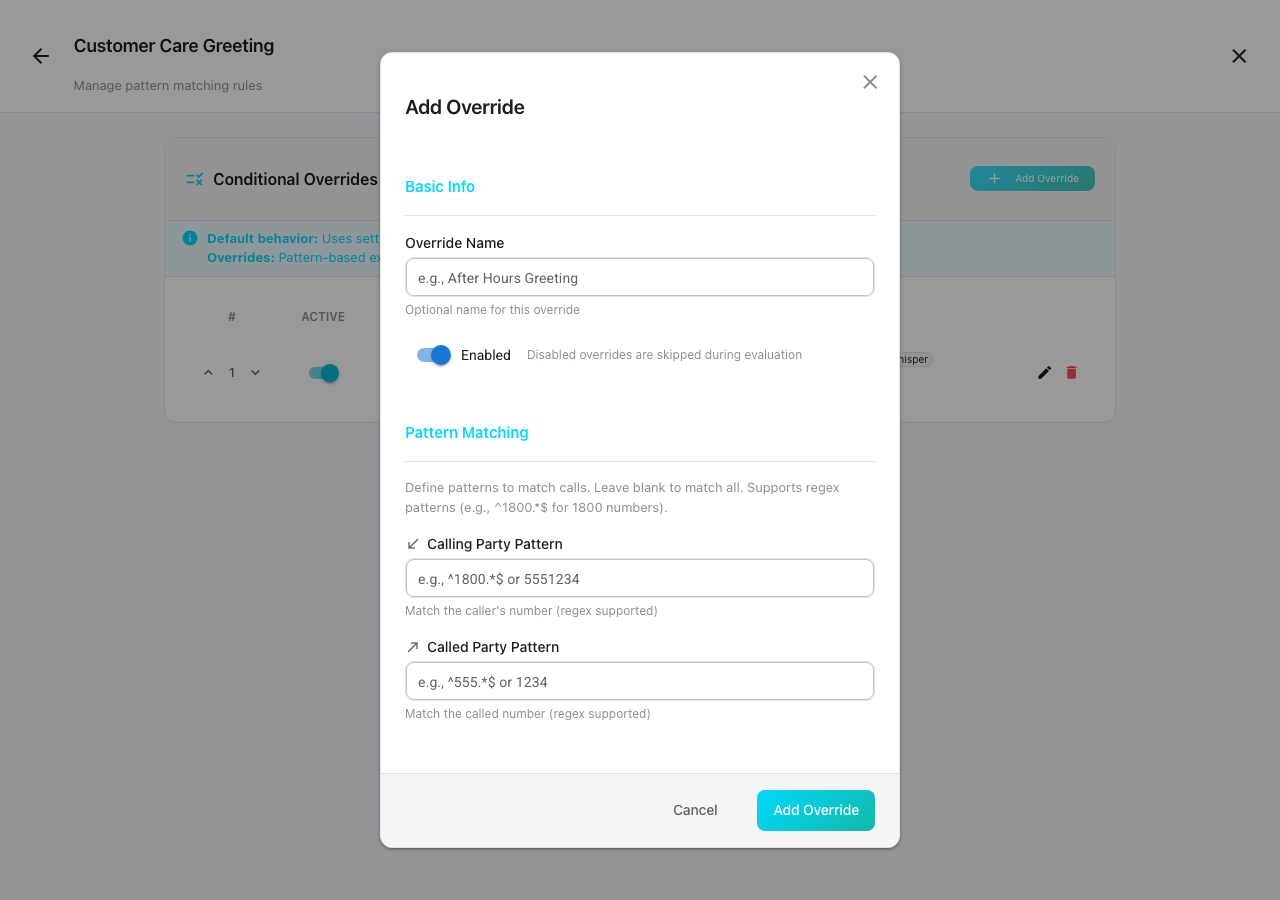
Each override includes:
- Override Name — optional label (e.g., "After Hours Greeting")
- Enabled — disabled overrides are skipped during evaluation
- Calling Party Pattern — match the caller's number (regex supported, e.g.,
^1800.*$) - Called Party Pattern — match the called number (regex supported)
- Override Settings — play a different audio file, change timing, or adjust behavior
Leave pattern fields blank to match all calls. Overrides are evaluated in priority order. The first matching override is applied; fields not overridden fall back to the policy defaults.
DN Exclusions
DN Exclusions prevent greeting injection on specific directory numbers, even if the device and policy would otherwise match. Use exclusions for numbers that should never hear a greeting — conference bridges, executive lines, emergency extensions, IVR ports, etc.
Navigate to the DN Exclusions tab on the Greeting Management page.
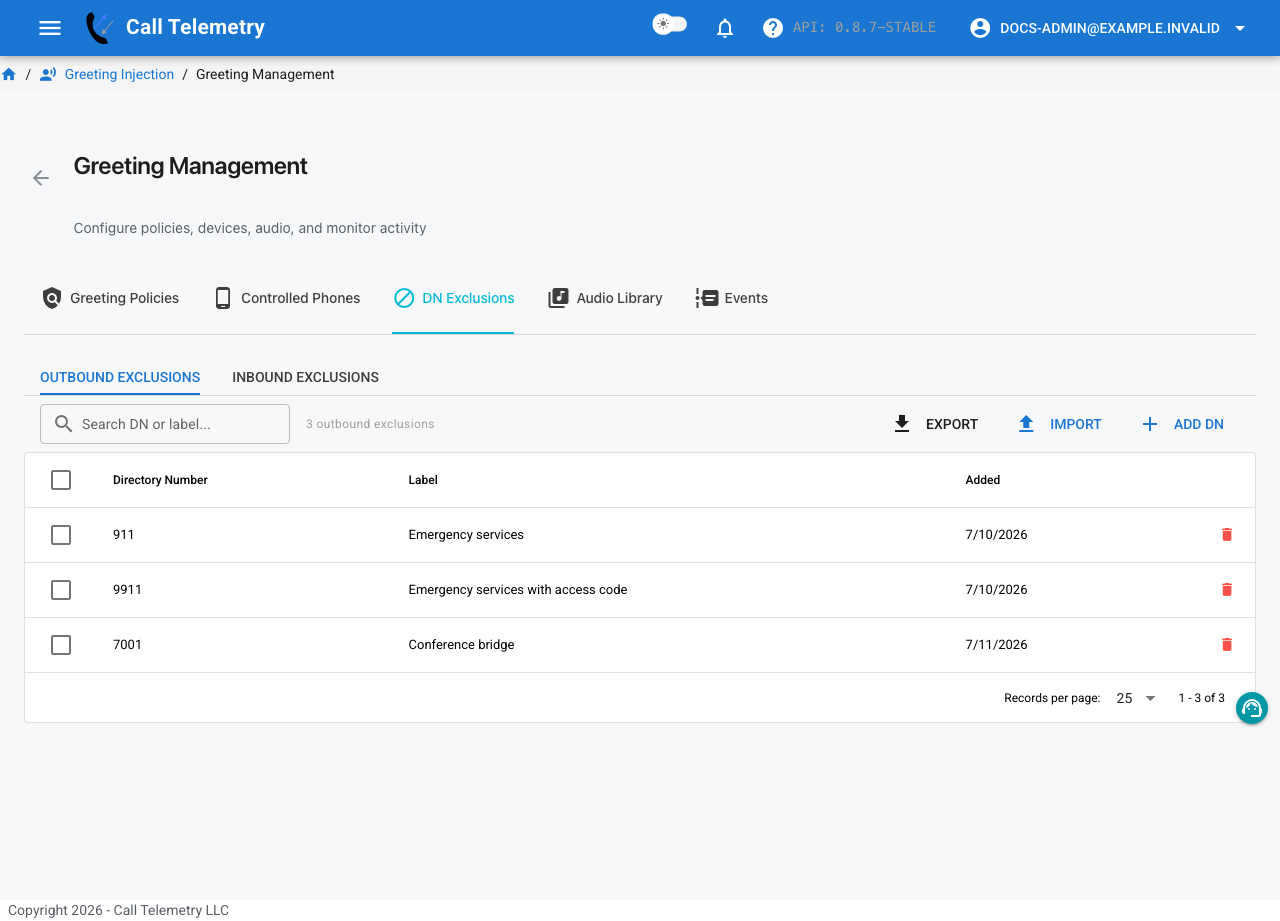
Exclusions are separated by direction:
| Tab | Effect |
|---|---|
| Outbound Exclusions | Calls to these DNs skip injection |
| Inbound Exclusions | Calls from these DNs skip injection |
Adding Exclusions
- Add DN — add a single directory number with an optional label
- Import — bulk import via CSV file or text paste. CSV format:
directory_number,label(header row optional). Text paste accepts one DN per line, optionally followed by a comma and label - Export — download the current exclusion list as CSV
Each exclusion has an editable Label field so you can annotate why a number is excluded (e.g., "CEO Office", "Conference Bridge").
Bulk Operations
Select multiple rows using the checkboxes to bulk delete exclusions. Search by DN or label to quickly find specific entries.
Skip Key (DTMF)
The skip key lets callers press a single DTMF digit to stop greeting playback immediately. The CTI port is released as soon as the key is detected, freeing it for the next injection.
Configure the skip key on the policy — it applies to all calls handled by that policy, including rule overrides.
When to use it:
- Compliance prompts where the caller has already heard the message
- Longer greetings (10+ seconds) where repeat callers want to skip ahead
Related
- Quick Start — end-to-end setup walkthrough
- Audio Library — upload audio, generate TTS
- CURRI Greetings — CUCM-side announcement alternative
- Troubleshooting — diagnose injection issues