Call Telemetry REST API
Every operation available in the Call Telemetry web interface is also available via REST API. This gives you full programmatic control over call policies, blocking, analytics, phone management, E911, and more.
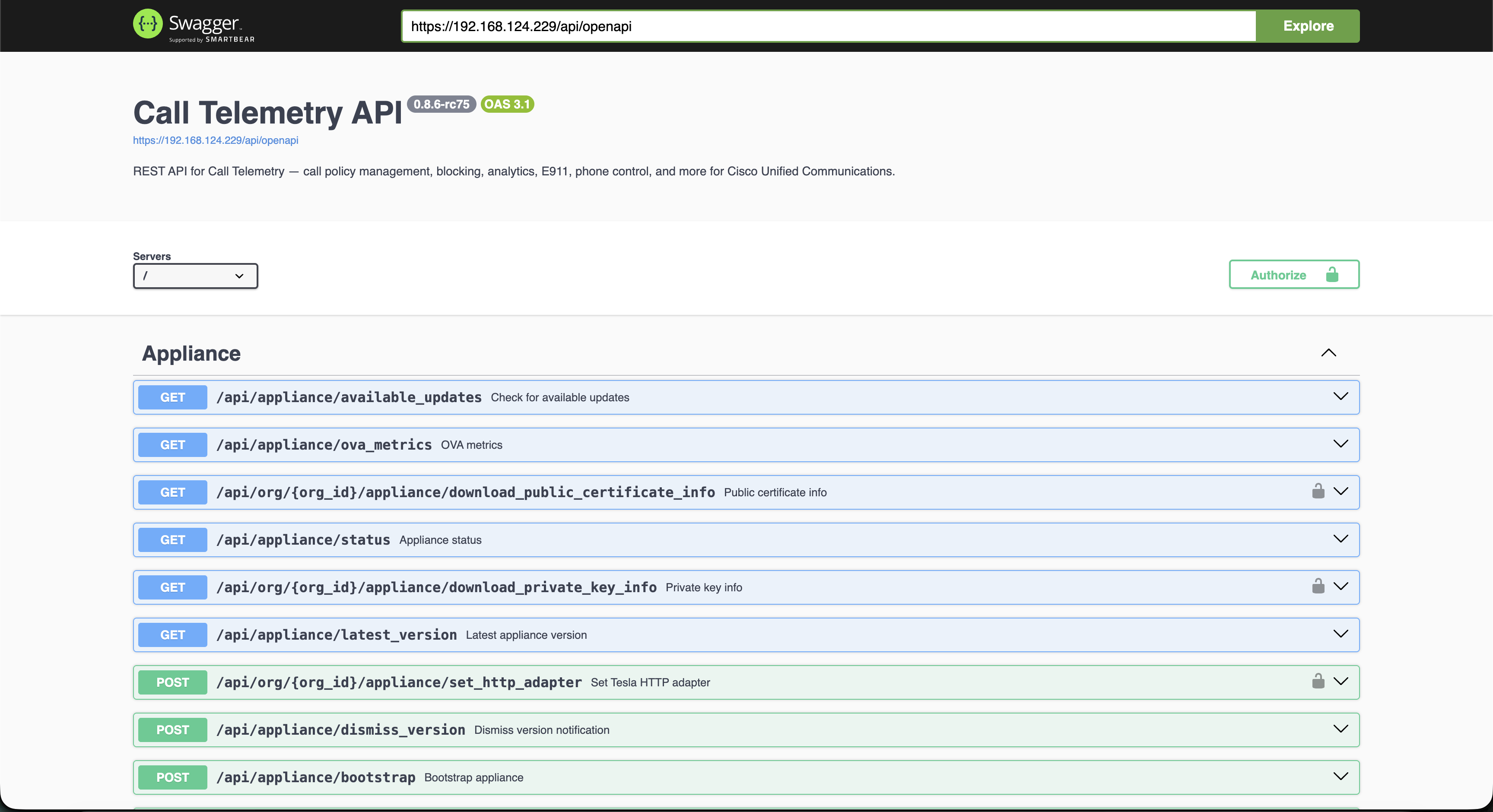
Interactive API Explorer
Your Call Telemetry server includes a built-in interactive Swagger UI at:
https://your-server/api/docs
Use this to browse endpoints, view request/response schemas, and test API calls directly against your server.
Base URL
All API requests use the following base URL pattern:
https://your-server/api/org/{org_id}/...
The org_id is your organization ID (typically 1 for single-org deployments). Multi-tenant deployments use the appropriate org ID for each tenant.
Authentication
Call Telemetry supports two authentication methods:
| Method | Best For | Header |
|---|---|---|
| API Token | Scripts, integrations, automation | Authorization: YOUR_API_TOKEN |
| Session Auth | Web applications, interactive use | Authorization: Bearer SESSION_TOKEN |
See the Authentication Guide for setup instructions and examples.
API Categories
The API is organized by functional area. Each category links to the full auto-generated reference with request/response schemas.
| Category | Description |
|---|---|
| Policies | Create, update, and manage call routing policies |
| Rules & Triggers | Configure policy rules, triggers, and call modifiers |
| Block Lists | Global and per-user call blocking |
| Watch Lists | Threshold monitoring and violation tracking |
| TDoS Protection | Telecommunications denial-of-service defense |
| CDR & Analytics | Call detail records, reports, and dashboards |
| Phone Management | RIS inventory, remote control, bulk operations |
| E911 | Emergency location tracking and notifications |
| JTAPI | Phone control, greeting injection, CTI pools |
| Call Apps | Webhooks, Webex Teams, Twilio SMS, CRM integration |
| Organizations | Org settings, users, roles, licensing |
| Appliance | Server status, updates, certificates, backups |
| Storage | MinIO storage pools, recording management |
| Sessions | Authentication, login, user sessions |
Browse the complete API Reference for all endpoints.
Common Patterns
Pagination
List endpoints support pagination via query parameters:
GET /api/org/1/policies?page=1&page_size=25
Error Responses
All errors return a consistent JSON structure:
{
  "error": {
    "status": 404,
    "message": "Resource not found"
  }
}
| Status | Meaning |
|---|---|
401 | Missing or invalid authentication |
403 | Insufficient permissions |
404 | Resource not found |
422 | Validation error (check response body for details) |
Bulk Operations
Several endpoints support bulk operations via CSV import:
- Block Lists: Import blocked numbers via CSV
- E911 Locations: Bulk import location data
- Phone Inventory: Bulk phone operations
OpenAPI Specification
The Call Telemetry API ships a complete OpenAPI 3.0 specification with 1264 fully typed endpoints — every response schema includes field-level type definitions, required fields, and format annotations. There are no generic or untyped object schemas.
Download the spec from your server:
curl -sk https://your-server/api/openapi.json -o openapi.json
Import this spec into tools like Postman, Insomnia, or any OpenAPI-compatible client for full request/response type information.
Postman Collection
A Postman collection is available for quick testing:
Related Guides
- Authentication Guide - API tokens and session auth setup
- Voice Firewall API Guide - Block lists, watch lists, and TDoS workflows
- API Reference - Complete auto-generated endpoint reference