Cisco CDR Scheduled Reports
Save CDR report configurations for quick re-execution or schedule automatic delivery via email.
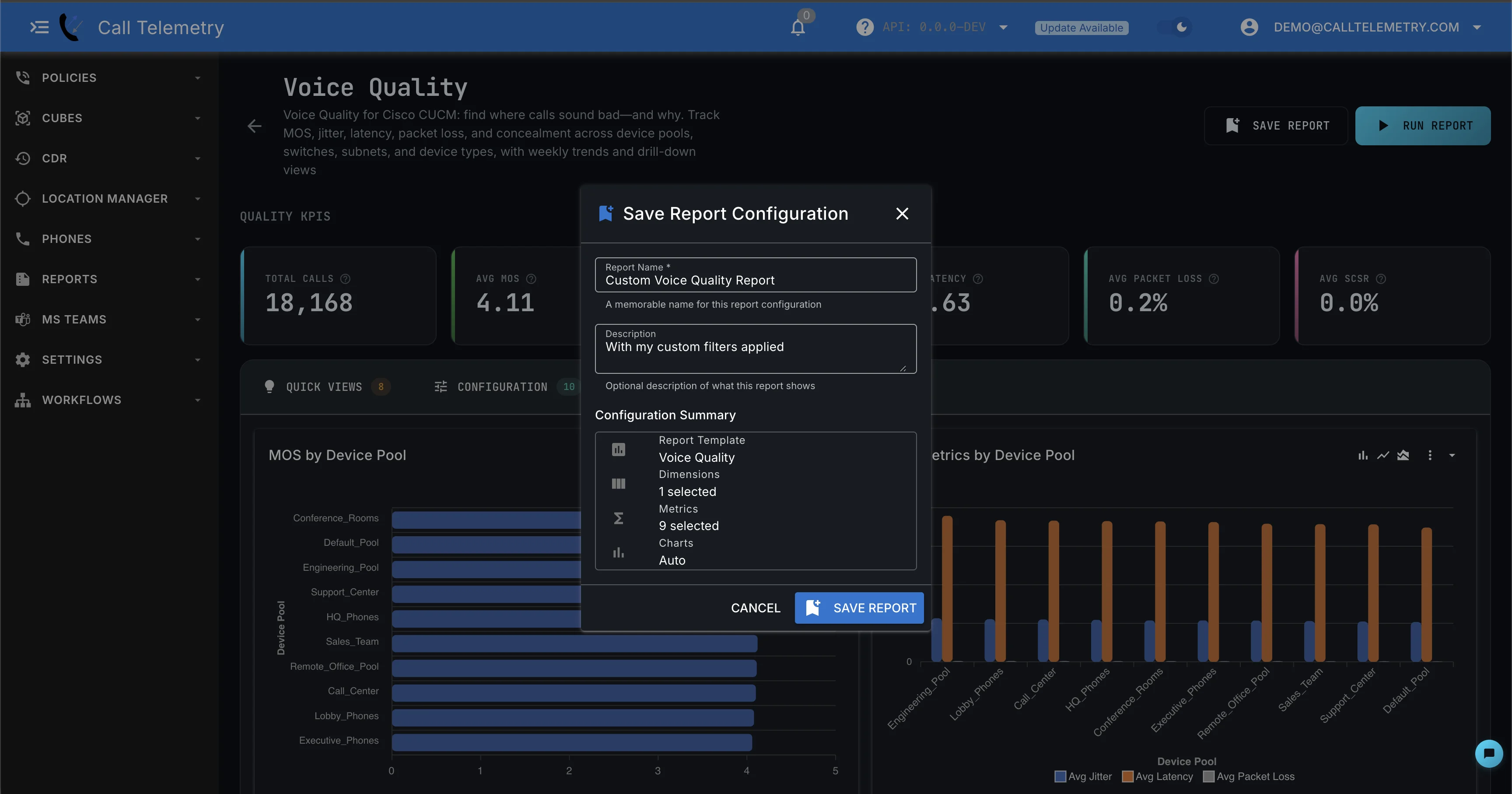
Saving a Report
- Configure your report in the Report Builder
- Click Save in the header
- Enter a Name and optional description
- Click Save
What gets saved: Template, dimensions, metrics, filters, sort order, and chart settings.
Managing Saved Reports
Access saved reports at Reports → Saved Reports.
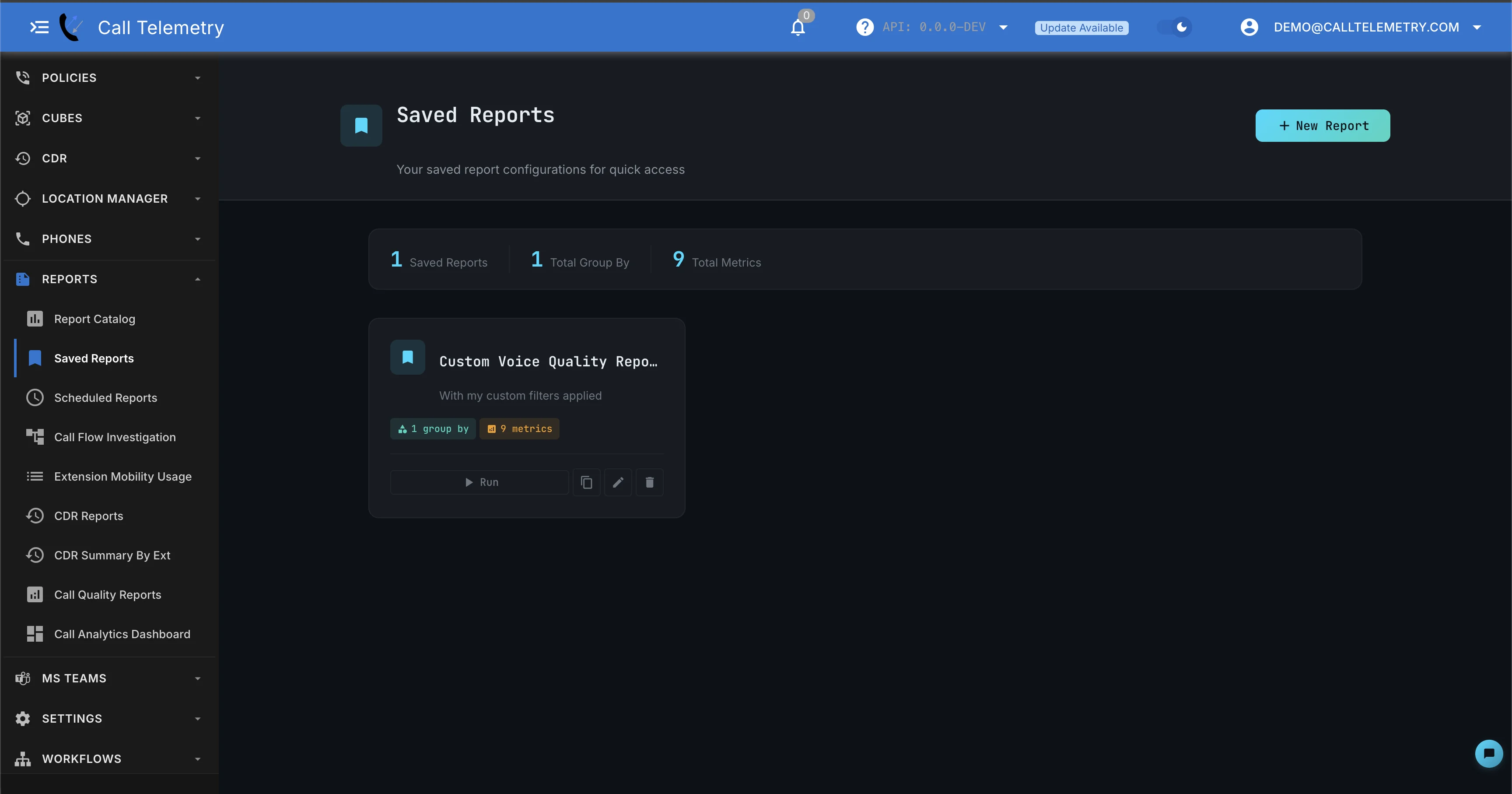
| Action | Description |
|---|---|
| Run | Execute and view results |
| Clone | Create a copy with new name |
| Edit | Modify configuration |
| Delete | Remove the saved report |
Creating a Schedule
Schedule automatic report delivery via email.
Requirements
- Premium license (see pricing)
- SMTP configured in settings
Steps
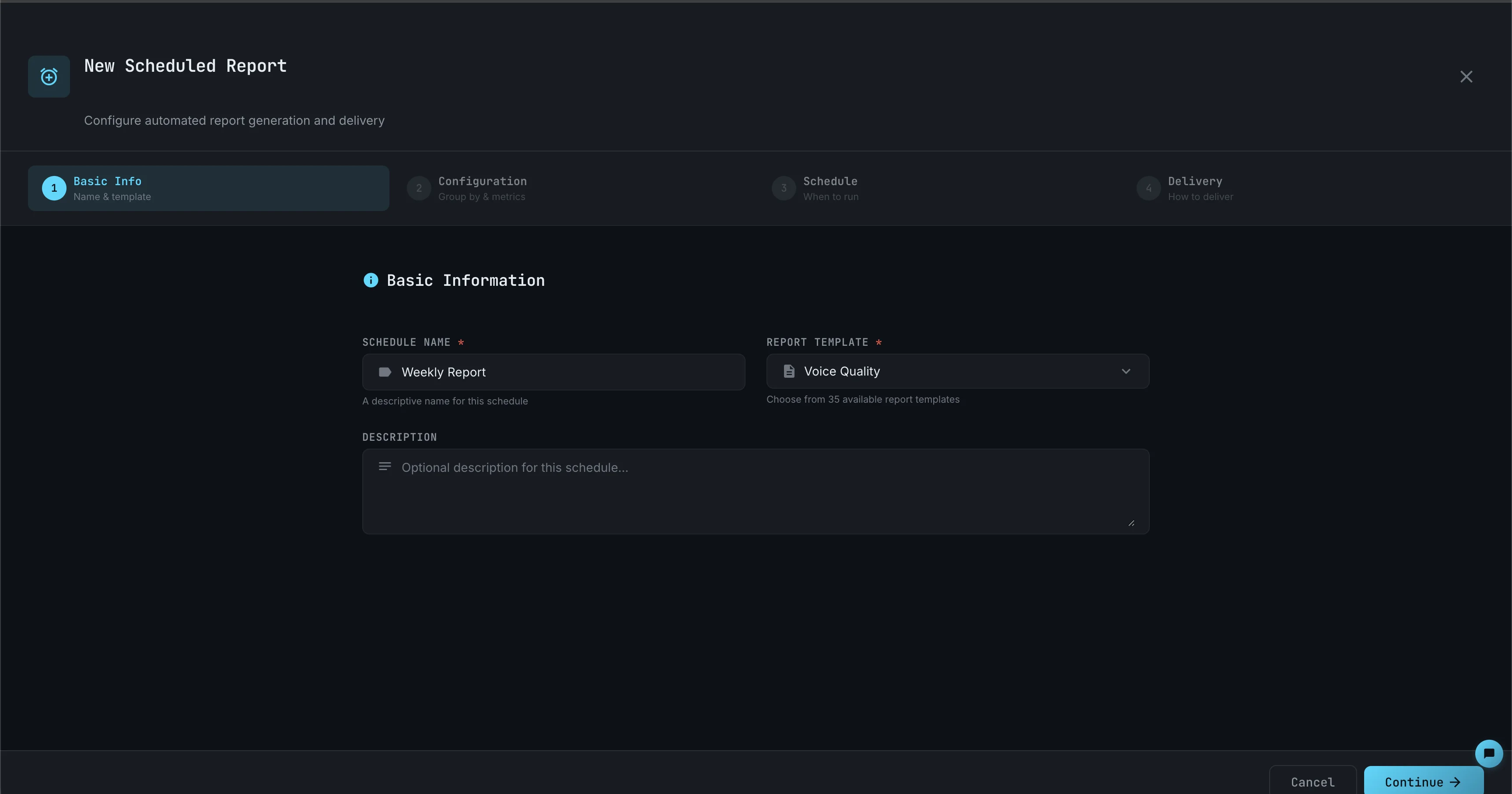
- Navigate to Reports → Scheduled Reports and click New Schedule
- Basic Info: Enter a name, select a report template, and optional description
- Configuration: Choose dimensions, metrics, and filters for the report
- Schedule: Set frequency (Daily, Weekly, Monthly), time, and timezone
- Delivery: Select format (CSV or XLSX) and add recipient email addresses
- Click Create Schedule
PDF Not Available
Scheduled reports support CSV and XLSX only. PDF is available for manual exports.
Managing Schedules
Access schedules at Reports → Scheduled Reports.

| Action | Description |
|---|---|
| Pause | Temporarily disable |
| Resume | Re-enable paused schedule |
| Run Now | Execute immediately |
| Edit | Modify schedule settings |
| Delete | Remove the schedule |
Execution History
View past runs by clicking a schedule card:
- Run timestamp and duration
- Success/failed status
- Download historical exports
- Open in Report Builder for investigation
Licensing
Saved and Scheduled Reports require a Premium license. See pricing for details.
Dashboard Widgets
Saved reports can be linked to UC Analytics Dashboard widgets. When you update a saved report's configuration, every linked widget updates automatically.
Next Steps
- UC Analytics Dashboard — Build dashboards with widgets powered by saved reports
- Report Builder Guide
- Report Catalog