CT-AI Configuration
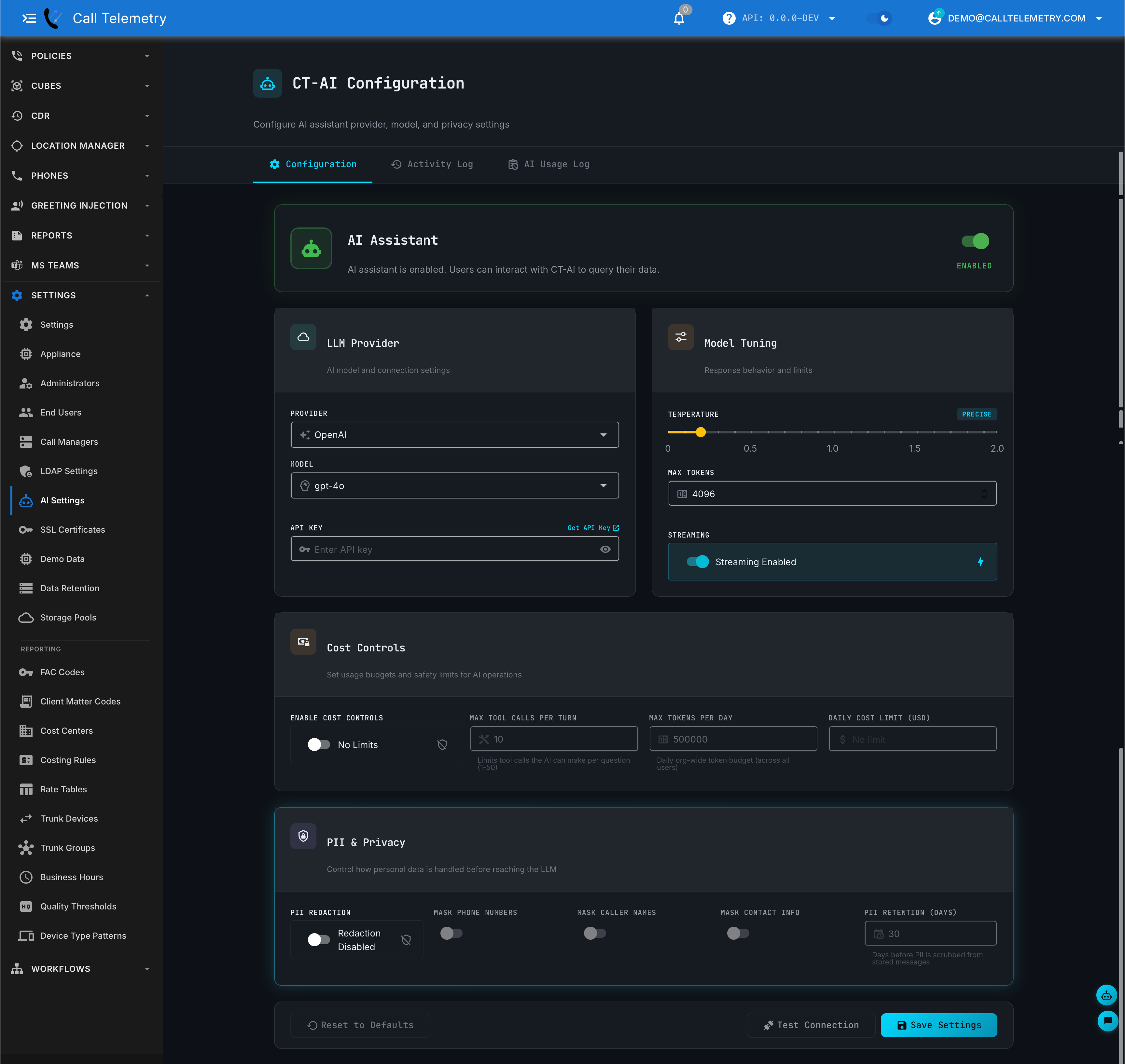
Navigate to Settings > AI Settings to configure CT-AI for your organization.
info
Requires Organization Administrator permissions and a Premium or Demo license.
Supported Providers
| Provider | Auth | Notes |
|---|---|---|
| OpenAI | API key | GPT-5.x, GPT-4.x, o-series reasoning models |
| Anthropic | API key | Claude Opus, Sonnet, Haiku |
| OpenRouter | API key | 100+ models from many providers behind one key. Browse at openrouter.ai/models |
| Ollama | None (endpoint URL) | Self-hosted, on-premises — no data leaves your network |
| Azure OpenAI | API key + endpoint + deployment | For enterprise Azure customers |
Select your provider, enter credentials, and choose a model. The model dropdown provides autocomplete with current models — type to filter. Click Test Connection to verify, then Save Settings.
Model Tuning
| Parameter | Default | Description |
|---|---|---|
| Temperature | 0.3 | Lower = more deterministic, higher = more creative |
| Max Tokens | 4096 | Maximum response length |
The defaults work well for most use cases.
Cost Controls
Enable cost controls to set limits on AI usage per organization:
- Max Tool Calls per Turn — limits how many data queries the AI makes per question
- Max Tokens per Day — daily token budget across all users
- Daily Cost Limit (USD) — hard spending cap
PII & Privacy
CT-AI can redact personal data before it reaches the LLM. Toggle individual masks for phone numbers, caller names, and contact info. PII retention controls how long conversation data is stored before scrubbing. See Security & PII for details.