Storage Pools
Storage pools manage the audio files that Call Telemetry uses for greeting injection and call recording. Each organization gets dedicated pools with quota controls, usage monitoring, and a built-in file browser.
Navigate to Greeting Injection > Storage Pools.
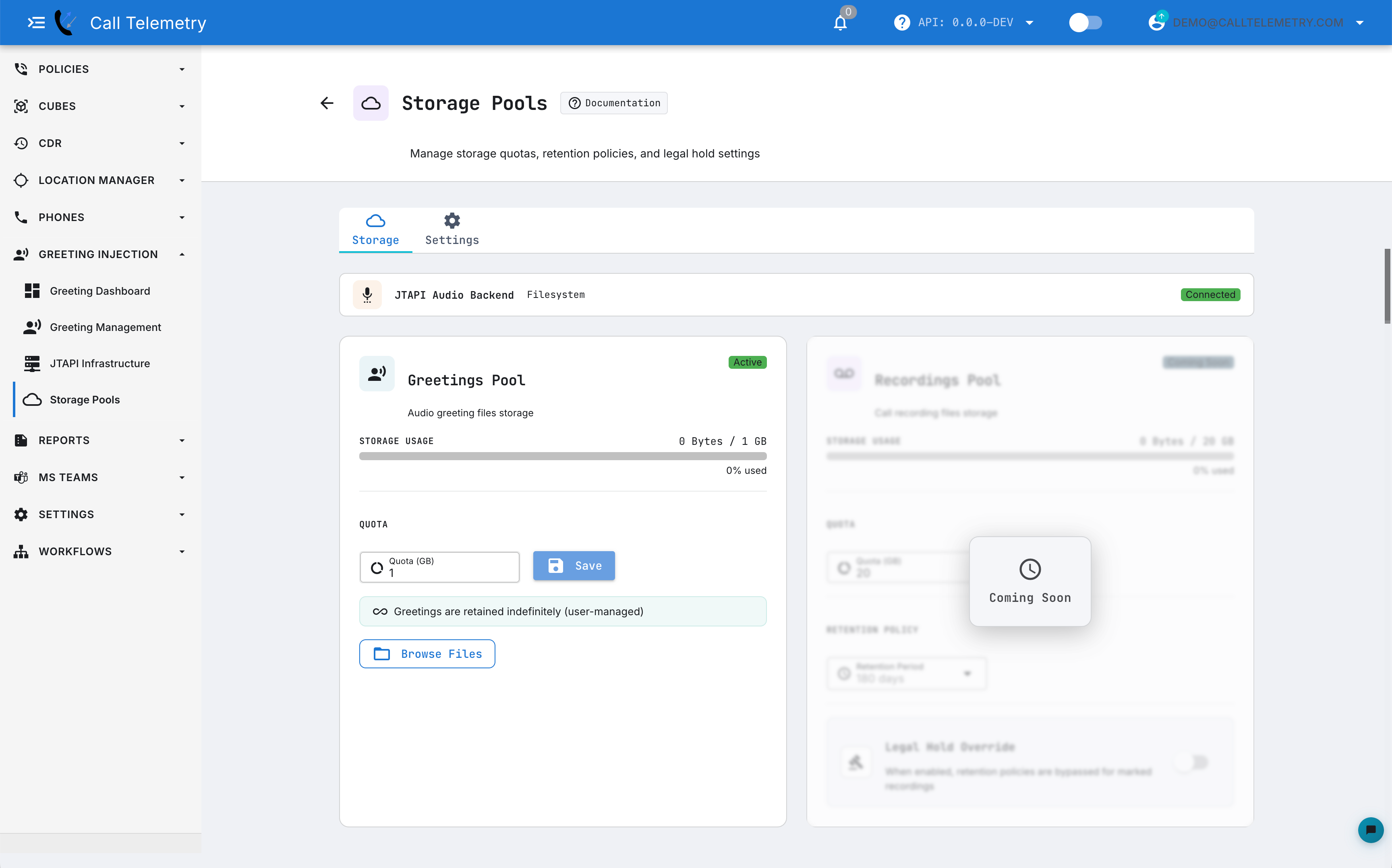
Pool Types
| Pool | Purpose | Retention |
|---|---|---|
| Greetings | Audio greeting files played to callers via JTAPI injection | Indefinite (user-managed) |
| Recordings | Call recording files captured during monitored calls | Configurable retention period |
Greetings are retained indefinitely because they are actively referenced by greeting injection policies. Deleting a greeting that is in use causes silent injection failures.
Storage & Quota
The Storage tab shows each pool with a usage bar indicating current consumption against the configured quota.
To adjust a pool quota:
- Enter the desired size (in GB) in the Quota field
- Click Save
- The usage bar updates to reflect the new limit
Start with a conservative quota. You can always increase it, but reducing below current usage requires manual cleanup.
File Browser
Click Browse Files on any pool to open the file browser. From here you can:
- Upload — drag-and-drop or select files; uploads are rejected if they would exceed the pool quota
- Preview — click the play icon on any audio file to hear it directly in the browser
- Download — click the download icon to save a copy locally
- Delete — permanently remove a file (cannot be undone)
- Search and sort — filter by filename, sort by name, size, or modified date
Verify that no greeting policies reference a file before deleting it. A deleted file that is still assigned to an active policy causes silent injection failures.
Recordings Pool
The recordings pool includes additional retention controls:
- Retention Period — how long recordings are kept before automatic deletion (in days)
- Legal Hold Override — when enabled, retention policies are bypassed for recordings marked with a legal hold, preserving them indefinitely regardless of the retention period
Backend Settings
The Settings tab shows the connection status of the audio storage backend. A Connected status means audio uploads, playback, and injection are operational. If the backend shows Disconnected, audio features will not function — check the storage service health and network connectivity.
Related
- Audio Library — upload and manage greeting audio files
- Troubleshooting — diagnosing injection and audio issues